| Product Documentation
Hybrid Control Panel (v10)
Managing meeting configuration
To manage Skype meeting configurations, from top right corner of your screen, click  and then go to Skype Module Configuration >> Manage Meeting Configuration.
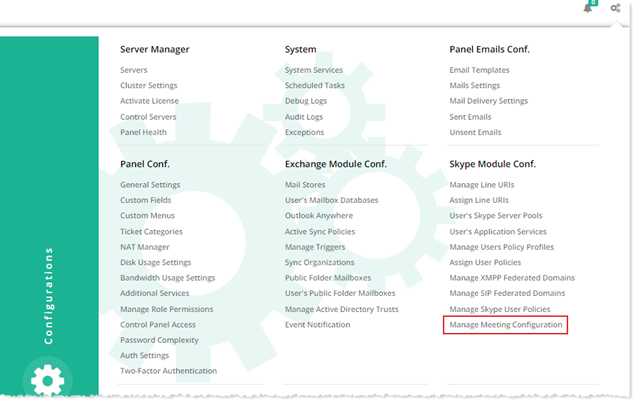
The Manage Meeting Configuration section allow admins to manage this section. For further details, refer to the followings:
Creating a Meeting Configuration
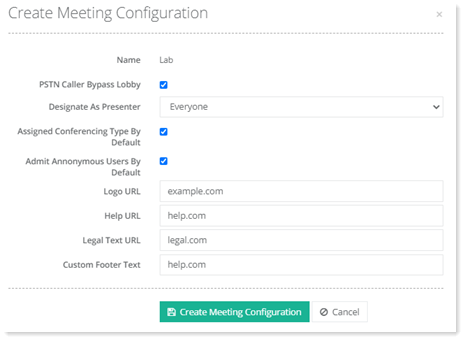
To create a meeting configuration, click + Create Meeting Configuration and specify information as required.
Editing a Meeting Configuration
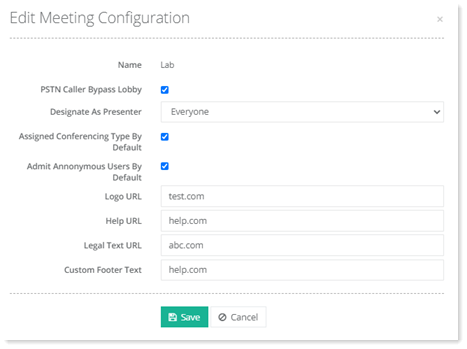
To modify information of any meeting configuration, click Edit under Actions column.
Deleting a Meeting Configuration
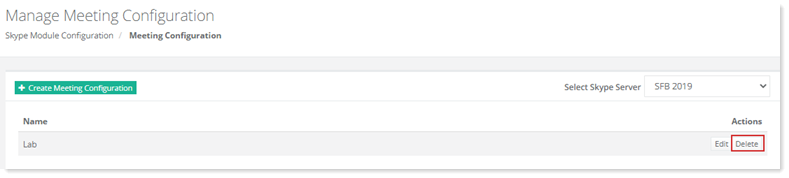
To remove any meeting configuration, click Delete under Actions column.