
| Product Documentation
Hybrid Control Panel (v10)
Viewing dashboard of a RDS User
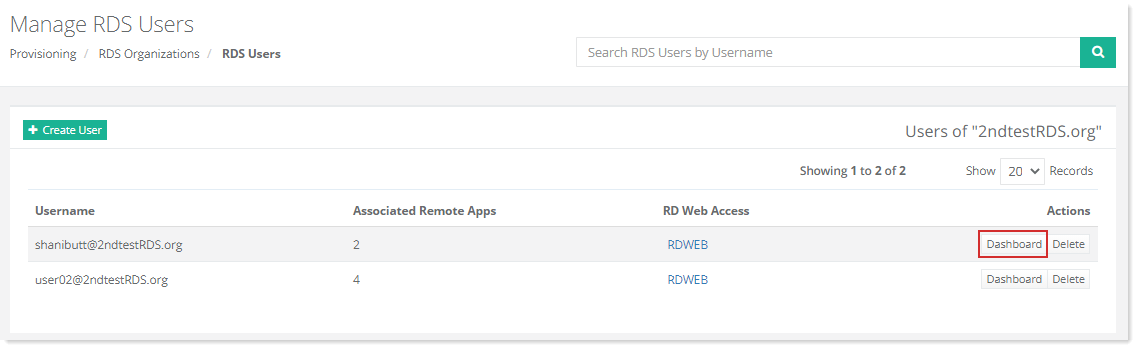
To view properties of a RDS User, click Dashboard under Actions column.
Change Password
To modiy password of a RDS user, click Change Password at top right corner of the screen.
General Profile
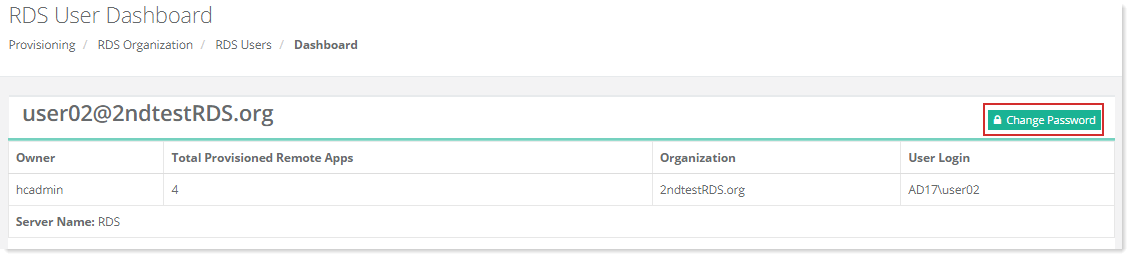
General settings (attributes) for the RDS user can be set through HC. To view/modify general profile information, click General Profile.
Remote Applications
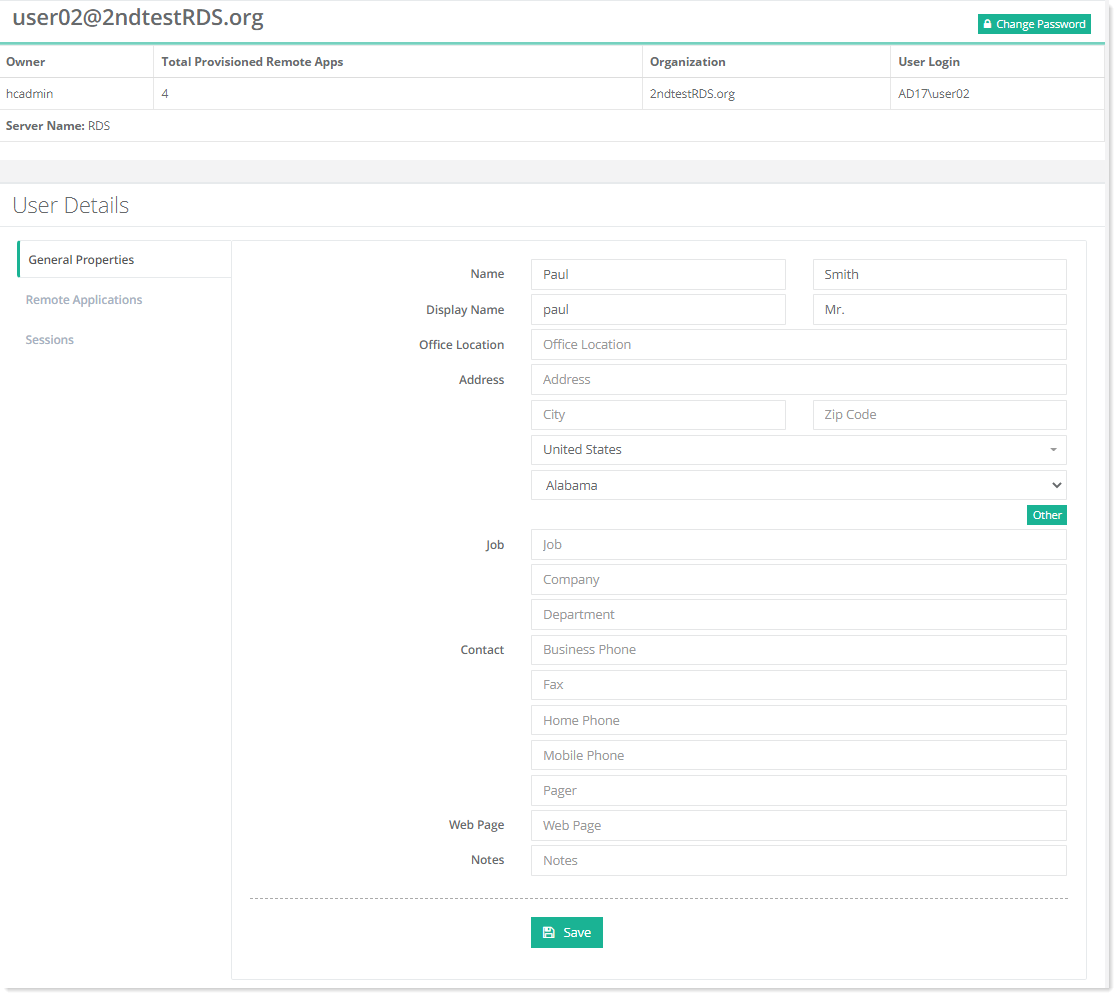
After a Remote Desktop Services session collection has been created and published, users can access it. Hosting Controller allows pooled desktop sessions for session-based virtualization. Users can select any of the individual applications that are hosted on the virtualized machine but appear as if they're running on the user's desktop like local applications.
Sessions
Users can log on to a Remote Desktop Services enabled computer. When a user logs on, a session is established for the user. Each session has a unique session ID. A session can be in an active state or a disconnected state. Hosting Controller allows you to configure session timeouts and reconnection settings for RDS users.
To modify session related details, click Sessions.
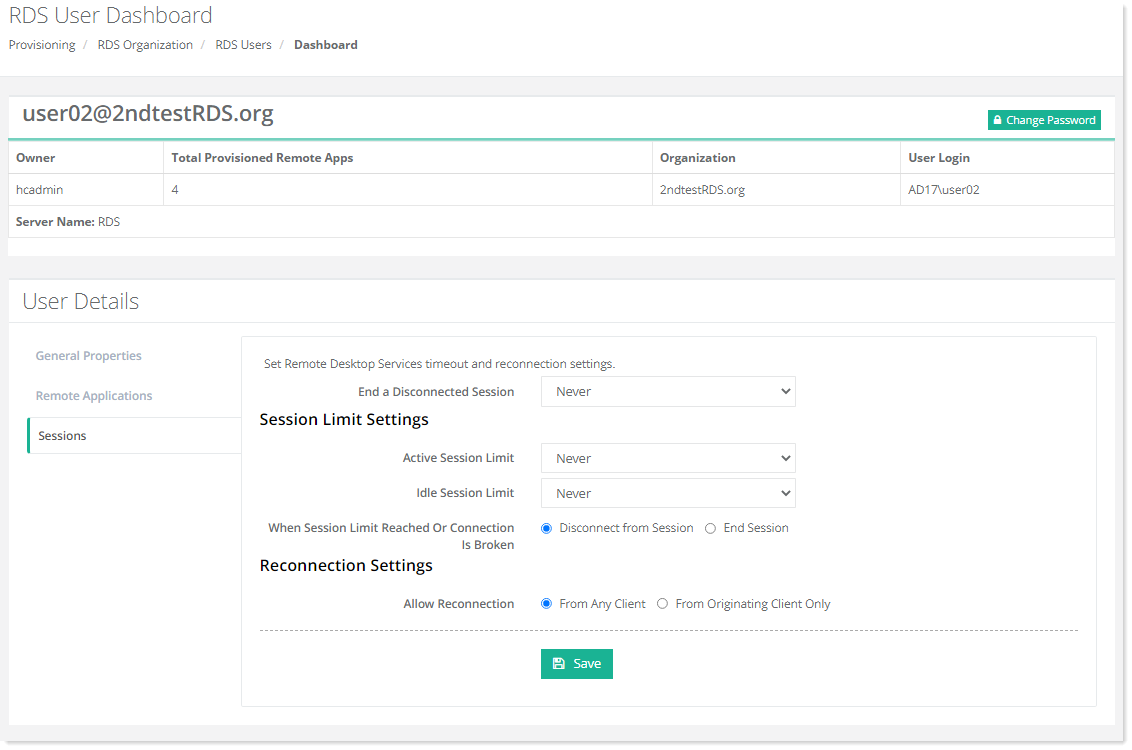
- End a Disconnected Session: Define time limit in minutes, after which disconnected sessions will automatically terminate.
- Active Session Limit: Set the maximum time in minutes, for active sessions. After the time limit lapses, the session will be disconnected or terminated automatically.
- Idle Session Limit: Specify the maximum time in minutes, for active but idle sessions. Idle sessions are session which have no user input (like moving a mouse or typing something on a keyboard). After this time limit lapses, the session will automatically disconnect or terminate.
- When Session Limit Reached or Session is Broken: Specify whether a user session should be disconnected or terminated (ended) when an active session limit or an idle session limit is reached.
- Allow Reconnection: Allow reconnection to a session from any client or only the originating client. Session resumption only from the originating client helps prevent session hijacking.