| Product Documentation
Hybrid Control Panel (v10)
Managing Spam Experts
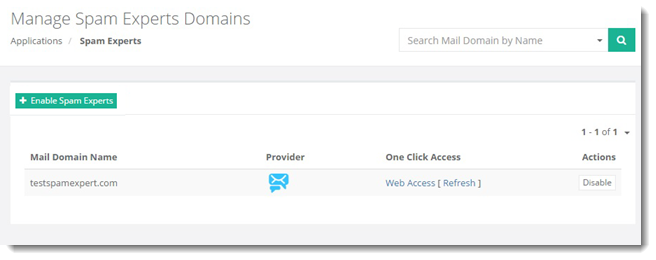
To manage Spam Experts, go to Applications >> Spam Experts.
|
Manage Spam Experts Domains page shows list of existing mail domains along with additional information as:
|
Manage Spam Experts Domains section allow admins to perform various tasks. This page shows enabling Spam Experts in detail.
Enabling Spam Experts
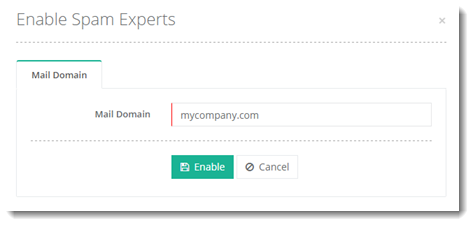
To enable Spam Experts, click + Enable Spam Experts and specify required information.