
| Product Documentation
Hybrid Control Panel (v10)
Viewing database history
Database actions history gives the status of database backups, shrinks and restores. The status could be Completed, Queued or Failed.
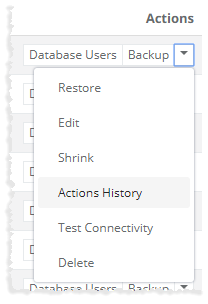
To view history of a database, click Actions History under Actions column.
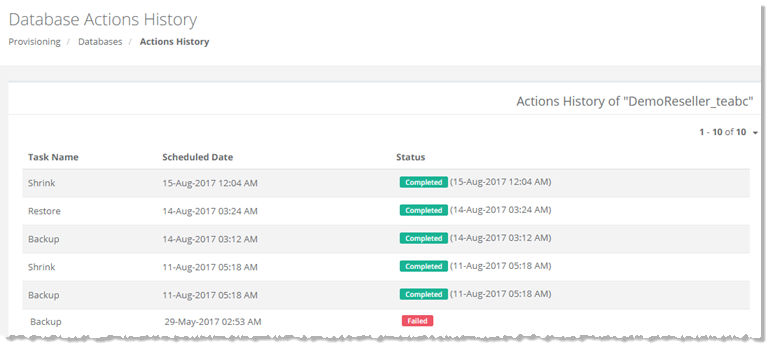
Database Actions History page shows list of existing database tasks with additional information as:
** Task Name - shows name of the database task such as backup, shrink and restore.
** Scheduled Date - shows date when the task is scheduled.
** Status - shows status of the task as Completed/Queued/Failed.
** Task Name - shows name of the database task such as backup, shrink and restore.
** Scheduled Date - shows date when the task is scheduled.
** Status - shows status of the task as Completed/Queued/Failed.