| Product Documentation
Hybrid Control Panel (v10)
Transferring a resource
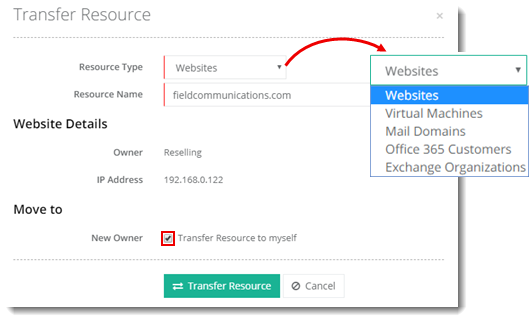
Resources can be transferred from one user to another. This means changing the ownership of the resource. The following resources can be transferred:
- Websites
- Virtual Machines
- Mail Domains
- Office 365 Customers
- Exchange Organizations
To transfer a resource, from top right corner of your screen, click  and then go to Migration >> Transfer a resource. Specify required information to proceed.
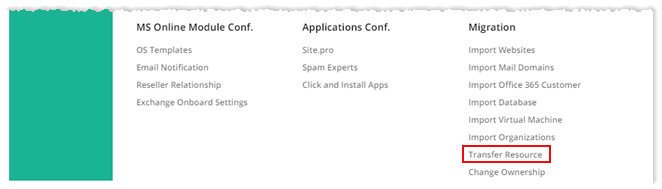
Fields marked in red are required fields and cannot be left empty.
Myself
To transfer a resource to yourself, select Resource Type and specify Resource Name. Now under Move to section, select Transfer Resource to myself check box and click Transfer Resource to proceed.

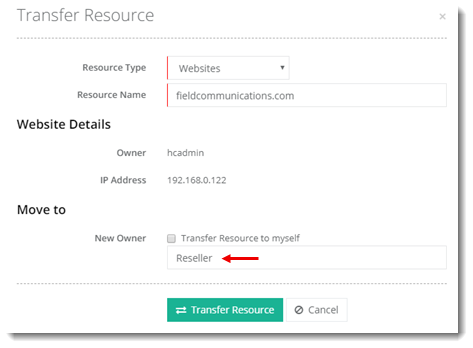
Specified User
To transfer a resource to some specified user, select Resource Type and specify Resource Name. Now under Move to section, type Owner Name and click Transfer Resource to proceed.