
| Product Documentation
Hybrid Control Panel (v10)
Creating a database
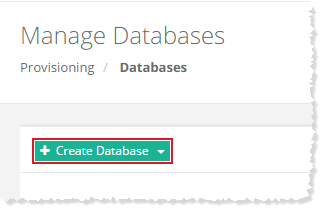
To create a database, click + Create Database. You can either create a SQL server database or MySQL database. Under Database Configurations section, select required database type from the drop-down list box and specify other information to proceed.
SQL Server
To create SQL server database, select Microsoft SQL Server from the drop-down list box and provide required information to proceed.
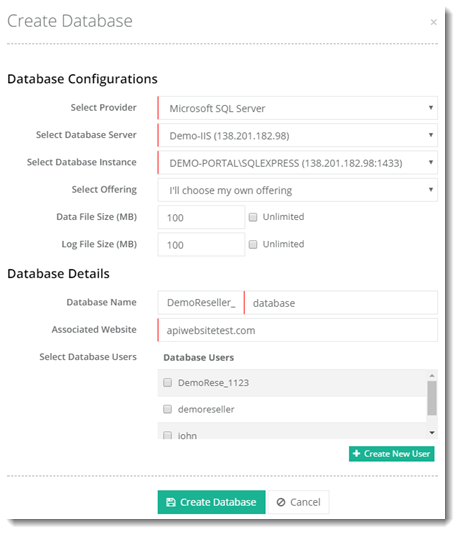
- Select Database Instance: An instance usually means a specific installation of a database. You can have more than one database instances on a machine. Each instance will have its own credentials.
- Data File Size (MB): It is a Maximum Data File (MDF) Size in MBs.
- Log File Size (MB): It is Maximum Log File (LDF) Size in MBs.
- Database Name: HC10 prefixes the associated website’s owner name to the database name.
- Associated Website: The website to which the database belongs.
- Select Database Users: Select an existing database user. Choose from a list displaying all existing users under the owner.
MySQL
To create MySQL database, select MySQL from the drop-down list box and provide required information to proceed.
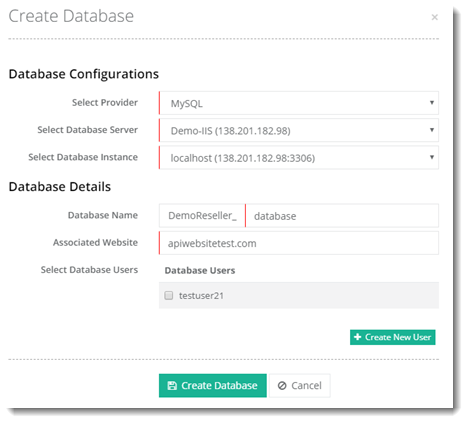
- Select Database Instance: An instance usually means a specific installation of a database. You can have more than one database instances on a machine. Each instance will have its own credentials.
- Database Name: HC10 prefixes the associated website’s owner name to the database name.
- Associated Website: The website to which the database belongs.
- Select Database Users: Select an existing database user. Choose from a list displaying all existing users under the owner.
See how to add a databse.