
| Product Documentation
Hybrid Control Panel (v10)
Add-Ons
Add-Ons are individual resources such as bandwidth, disk space etc. that can be added to a Service Plan. At times customers may run out of a certain resource in a plan and require additional amounts of only that resource. Instead of selling a whole new plan to the customer, the admin can just sell him the lacking resource. These additional resources are known as Add-Ons. For example consider a Sold Plan with a limit of 1 GB disk space. If later the customer demands 1 GB more disk space under the same plan then instead of selling a new plan, an Add-On of 1 GB can be sold.
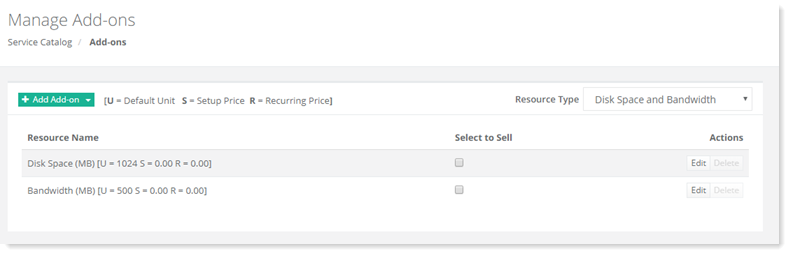
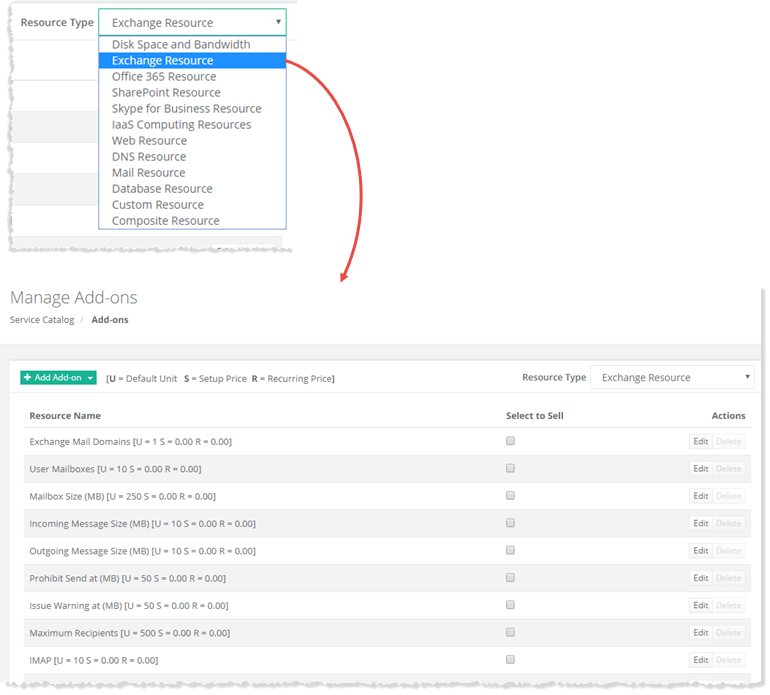
To manage add-ons, go to Service Catalog>> Add-ons. Select required Resource Type from the drop-down list box to view all its associated resources. For example if Exchange Resource is selected its associated resources are visible on the Manage Add-Ons page. You may select any resource type as per your requirement and accordingly its related available resources are displayed on the page from where you can select them to sell.
|
Manage Add-ons page shows list of add-ons with additional information as:
|