
| Product Documentation
Hybrid Control Panel (v10)
Configuring user account settings
To configure user account settings, click  from top-right corner of the screen.
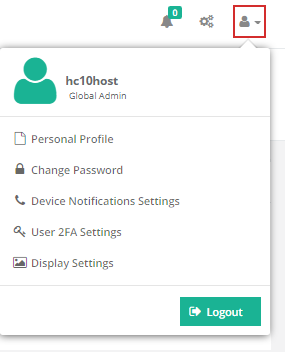
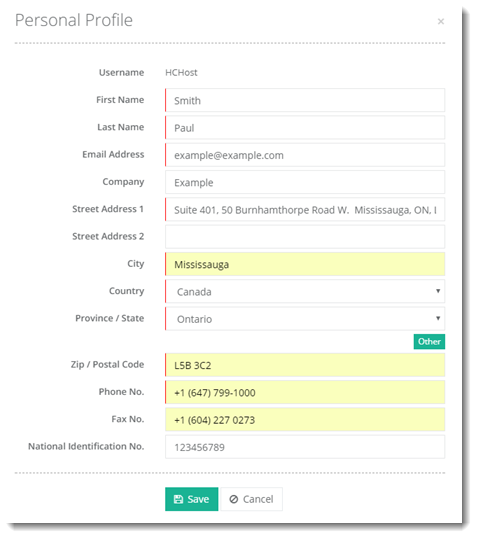
Fields marked in red are required fields and cannot be left empty.
Personal Profile
To specify personal information, click Personal Profile.
Change Password
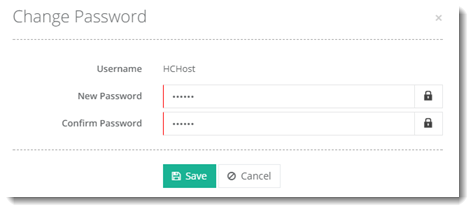
To edit password, click Change Password.
Device Notification Settings
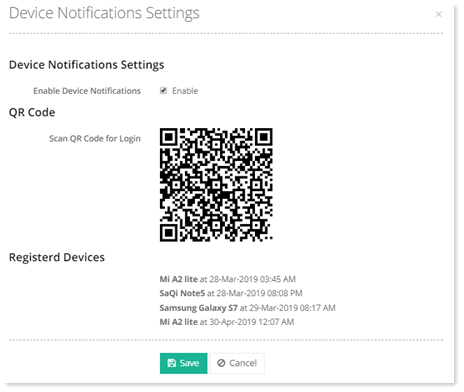
To modify certain mobile device notifications settings, click Device Notification Settings.
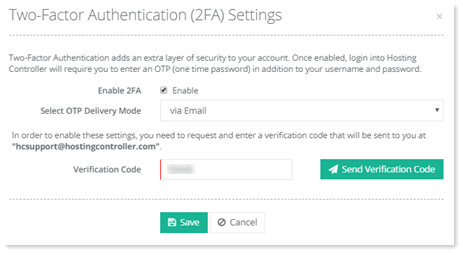
User 2FA Settings
To modify user 2FA settings, click User 2FA Settings.
Display Settings
Display Settings allow you to choose your preferences for language, date and theme. They also enable you to define your company name and banner for branding purposes.
To modify certain GUI configurations, click Display Settings.
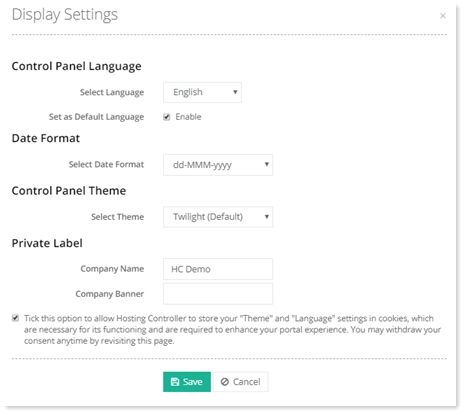
Your default language and theme will be the same as your owner’s. You may change it any time later, as per your requirement.