
| Product Documentation
Hybrid Control Panel (v10)
Editing through zone editor
Zone editor presents an easy way to edit DNS zones and does not necessarily require specialized knowledge of DNS zones. It allows simple insertion of DNS records in a pre-labelled, easy to use editor
To edit a zone editor, click Zone Editor under Actions column.
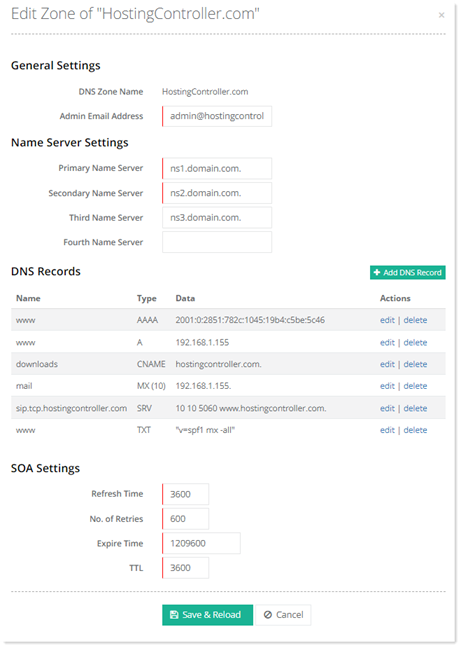
General Settings
- DNS Zone Name: shows name of DNS zone.
- Admin Email Address: Type an email address for admin.
Name Server Settings
- Primary Name Server: Type name of primary server. A DNS name server is a server that stores the DNS records, such as A records. All domains usually have at least two DNS servers e.g.
-
ns1.domain.com
-
ns2.domain.com
-
When you enter a website name in your browser and hit enter, the request gets sent to one of the name servers. In response, the name server sends back the IP address of the webserver where the site is located. Thus, name servers translate domain names into IP addresses.
Name servers are typically designated with an “ns” prefix. The primary name server is generally labeled ns1, as it is the first and main server. Secondary name servers are designated ns2, tertiary name servers are ns3 and so on. All secondary servers function as backups. When primary server doesn't respond to requests, they are routed to secondary servers.
- Secondary Name Server: Type name of secondary server. Primary DNS servers contain all relevant zone files and handle DNS queries for domains. Secondary DNS servers contain zone file copies that are read-only, meaning they cannot be modified. They receive pertinent information from primary servers.
- Third Name Server: Type name of the third name server. Its also called a tertiary name server and is a second secondary server. It gets all of its authoritative information from the primary name server.
- Fourth Name Server: Type name of fourth name server.
DNS Records
To edit a DNS record, click Edit under Actions column.
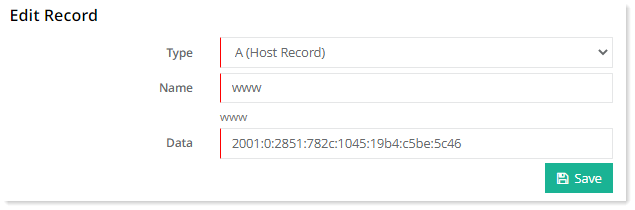
A (Host Record)
An A record (Address Record) points a domain or subdomain to an IP address. For example domain.com can be pointed to 192.168.1.12, so that when the end user types in the easily recognizable domain name (domain.com) it gets pointed to the IP.
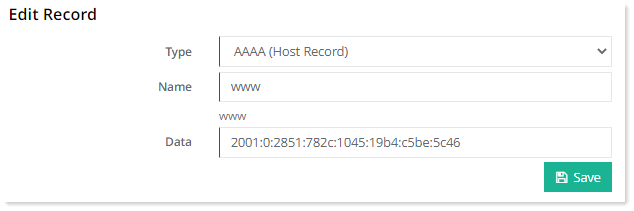
AAAA (Host Record)
An AAAA record is the same as an A record, but it allows you to point a domain to an IPv6 address instead of an IPv4 address.
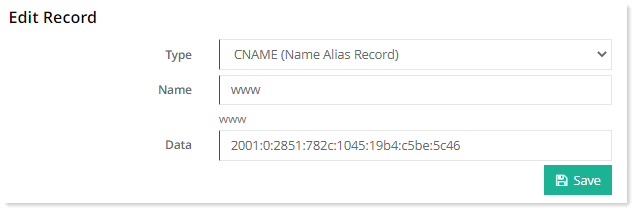
CNAME (Name Alias Record)
CNAME points one domain or subdomain to another domain name, allowing you to update only one A record each time you make a change, without needing to change all the records that need pointing to the IP. For example www.domain.com can be pointed to domain.com. Now if the end user types in www.domain.com, it will be directed to domain.com
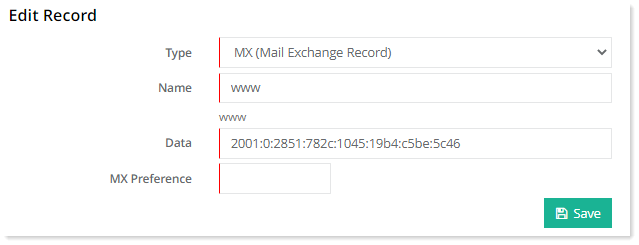
MX (Mail Exchange Record)
An MX record routes email to a particular mail server. It shows the mail server that handles a domain's email. In simple words it tells the world which mail servers accept incoming mail for a domain. It contains the host name of the mail server and a priority code. The priority is used when more than one MX records are entered for any single domain name. This happens when more than one mail servers are configured. The priority identifies which mail server should be preferred. The mail server with the lower number has higher priority.
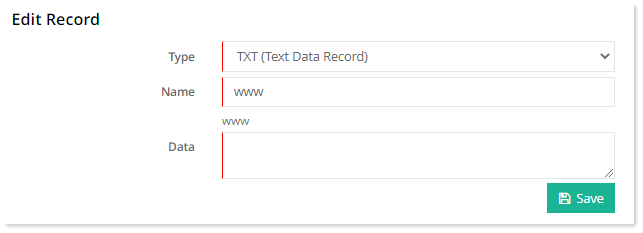
TXT (Text Data Record)
The TXT record isn’t used to direct any traffic but instead to provide information to outside sources. These records are used to store text-based information related to your domain. The TXT record can be used for various purposes. TXT records can be used for:
-
- Verification of domain ownership
- Sender Policy Framework
- DomainKeys (DKIM)
TXT records usually contain a lot of text and unlike other DNS records, the record can contain spaces and various special characters.
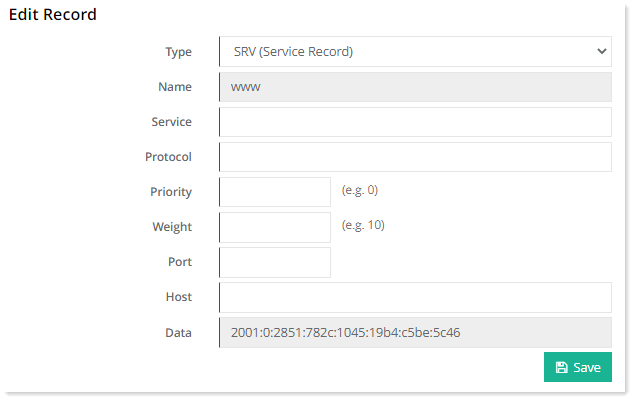
SRV (Service Record)
An SRV record is used to identify computers that host specific services such as VOIP or IM. For instance an SRV record can be used in Internet Telephony to define where a SIP service may be found.
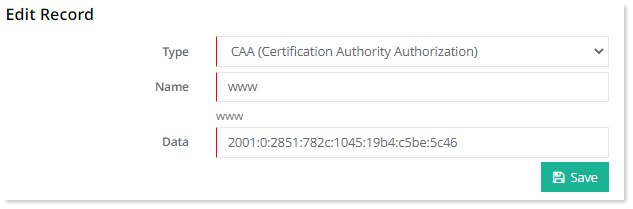
CAA (Certification Authority Authorization)
CAA record specifies which certificate authorities (CAs) are allowed to issue SSL/TLS certificates for a domain.
SOA Settings
SOA (Start of Authority) record contains authoritative information about a domain or zone, including the primary name server, the email of the domain administrator, the domain serial number, and several timers relating to refreshing the zone.
-
Refresh Time: The time in seconds secondary servers should wait before asking the primary server for a new SOA record to see if it has been updated. The recommended value for small and stable zones is 86400 seconds (24 hours).
-
No. of Retries: The time in seconds secondary servers should wait before asking an unresponsive primary server for the serial number again. It should be less than refresh time. The recommended value for small and stable zones is 7200 seconds (2 hours).
-
Expire Time: The time in seconds after which secondary servers should stop answering request for the zone if the primary server does not respond. It must be larger than the sum of refresh time and retry time. The recommended value for small and stable zones is 3600000 seconds (1000 hours).
-
TTL: The unit for TTL (Time to Live) is time in seconds. It is the time the DNS resolver or local resolver should cache a query for, before requesting a new one. The longer the TTL, the longer the resolver holds that information in its cache. The recommended value for small and stable zones is 3600 seconds (1 hour). A TTL value of 3600 seconds would mean that if a DNS record was changed, DNS servers around the world could still be showing the old value from their cache for up to 1 hour after the change.