| Product Documentation
Hybrid Control Panel (v10)
Creating RDS User
In an RDS deployment, Active Directory Domain Services (AD DS) is the source of all users and other objects in the domain. You need to have users in the Active Directory. Hosting Controller allows you to add these users through its interface.
To create a RDS user, click + Create User and then specify required information to proceed.
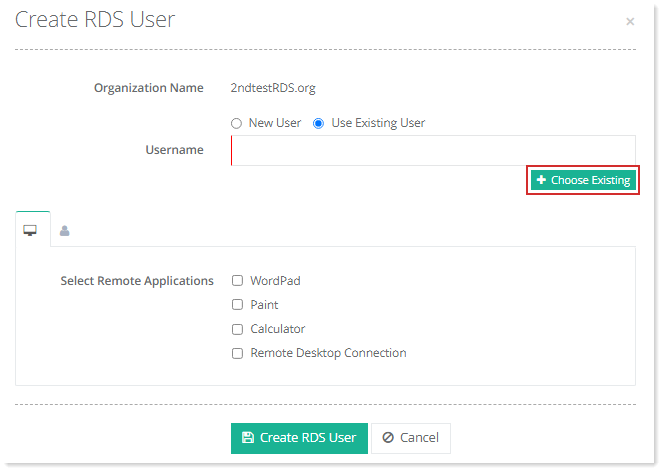
There are two options to create users under any specific organization, either create a new user or use existing user.
New User
In case of new user, specify following information and click Create RDS User to proceed.
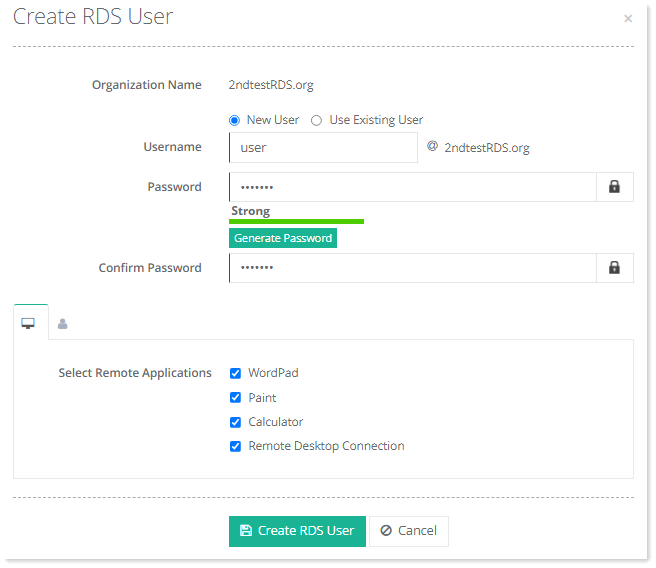
- Username: Type username.
- Password: Type password or generate it through Generate Password.
- Remote App Settings (
 ): Select applications to be accessed remotely. Selected applications in the RDS Collection can be associated with the user.
 - General Profile (
 ): specify AD user's general information.
Existing User
In case of existing user, click + Choose Existing to select the user from the list, select the remote applications and click + Create RDS User to proceed.