
| Product Documentation
Hybrid Control Panel (v10)
Viewing Panel Health
Often it is useful to have an insight into the various issues relating to the control panel health such as verifying the status of database connection or confirming the appropriateness of the .Net version. HC provides a diagnostic page for viewing the panel health at a glimpse. This provides a chance to overcome any shortcoming relating to panel configurations and identifying any discrepancies.
To view panel health, from top right corner of your screen, click  and then go to Server Manager >> Panel Health.
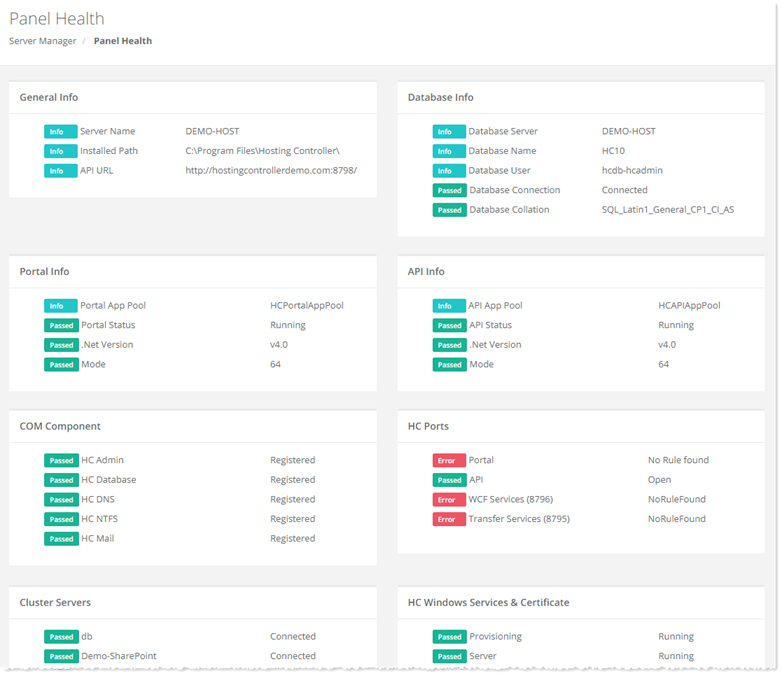
- Info: The info field just provides information for a particular panel setting such as name of the HC database.
- Passed: The passed field signifies success against a particular condition.
- Error: The error field signifies failure against a particular condition.
HC Ports section checks the Windows firewall rules. If it finds an appropriate inbound rule for the port, it passes the test otherwise displays an error.