| Product Documentation
Hybrid Control Panel (v10)
Microsoft Azure without CSP
Hosting Controller allows creation of virtual machines in Microsoft Azure both as part of the CSP program through Office 365 and without the CSP program. This article explains the configurations necessary for setting up virtual machines in Azure without the CSP program.
- Pre-Requisites for HC
There are two pre-requisites for creating Azure virtual machines without the CSP program:
- Before creating virtual machines in Azure through Hosting Controller ensure that Microsoft Azure PowerShell utility (azure-powershell.2.0.1.msi) is installed on the HC Control Server (the machine from where the Panel interface is accessed). PowerShell utility is required to load the Azure PowerShell libraries. To download the utility click here.
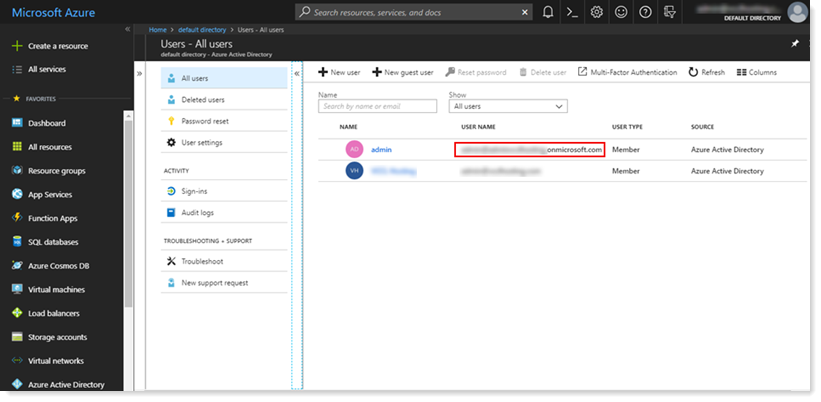
- The Azure admin user should exist under Azure Active Directory with the format admin@domain.onmicrosoft.com.
- Before creating virtual machines in Azure through Hosting Controller ensure that Microsoft Azure PowerShell utility (azure-powershell.2.0.1.msi) is installed on the HC Control Server (the machine from where the Panel interface is accessed). PowerShell utility is required to load the Azure PowerShell libraries. To download the utility click here.
- Enable Azure without CSP in Cluster Settings
Enable Azure role without CSP in Cluster Settings. To enable the role, from top right corner of your screen, click
 and then go to Server Manager >> Cluster Settings. Click Cloud Services tab and then select Microsoft Online. Enable Microsoft Azure (Without CSP Program).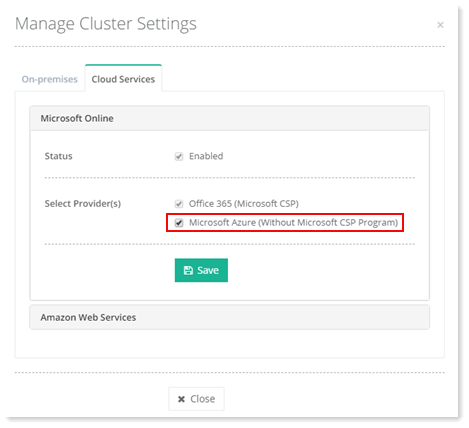
- Add Azure Provisioning Server
Add a hypothetical server that serves as a provisioning node. This is not a physical server and has no physical existence. It only serves as an identifier. To add the Azure provisioning server, from top right corner of your screen click
 and then go to Server Manager >> Servers >>+ Add Server. There select Cloud Services.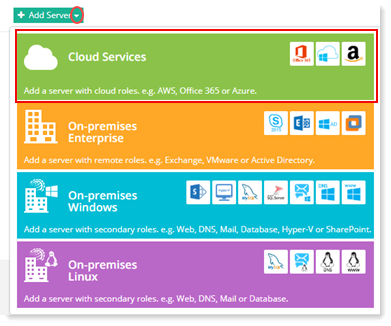
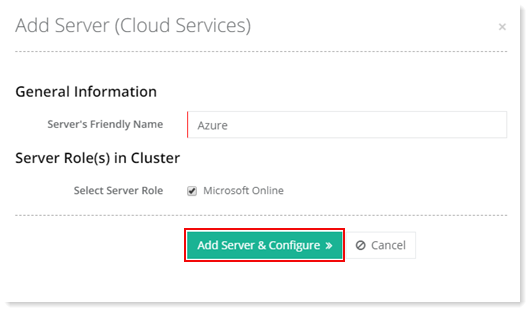
On the next screen provide the Server's Friendly Name and select Microsoft Online as the role. Click Add Server & Configure to proceed.
- Configure the Azure Server
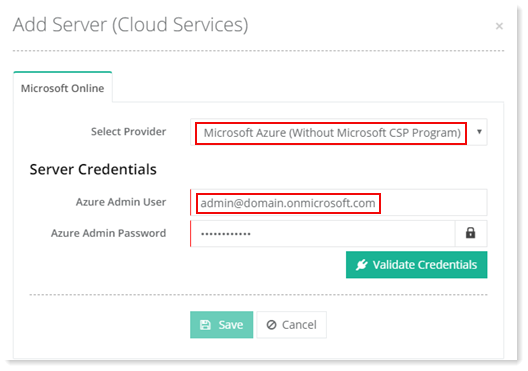
Configure the server by selecting Microsoft Azure (Without CSP Program). Next provide server credentials. Use the same Azure admin user which exists in your Azure Active Directory e.g. admin@domain.onmicrosoft.com as mentioned in the pre-requisites.