
| Product Documentation
Hybrid Control Panel (v10)
Enabling Spam Experts
HC10 supports SpamExperts as an Anti-Spam solution. SpamExperts is an efficient Email filtering agent against spam, viruses, and malware.
To enable Spam Experts, from top right corner of your screen, click  and then go to Application Configuration >> Spam Experts. Select the Yes checkbox to enable Spam Experts and specify required information to proceed.
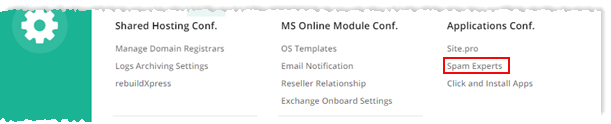
Fields marked in red are required fields and cannot be left empty.
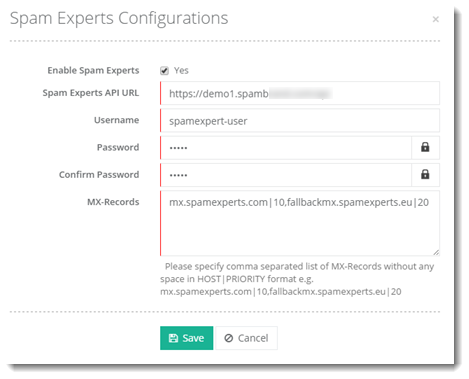
- Spam Experts API URL: It is a valid API URL such as such as https://demo1.spambrand.com/api.
- Username: It is the Reseller by Spam Experts.
- Password: It is the password provided by Spam Experts.
- Confirm Password: Re-type password.
- MX-Records: They are MX records provided by Spam Experts.