
| Product Documentation
Hybrid Control Panel (v10)
Assigning VLANs
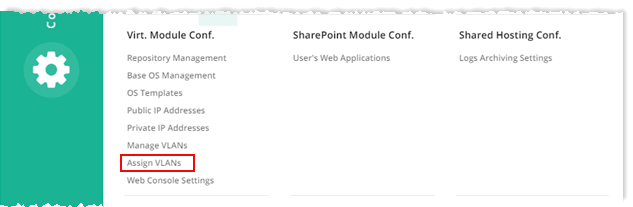
To assign VLANs, from top right corner of your screen, click  and then go to Virtual Module Configuration >> Assign VLANs.
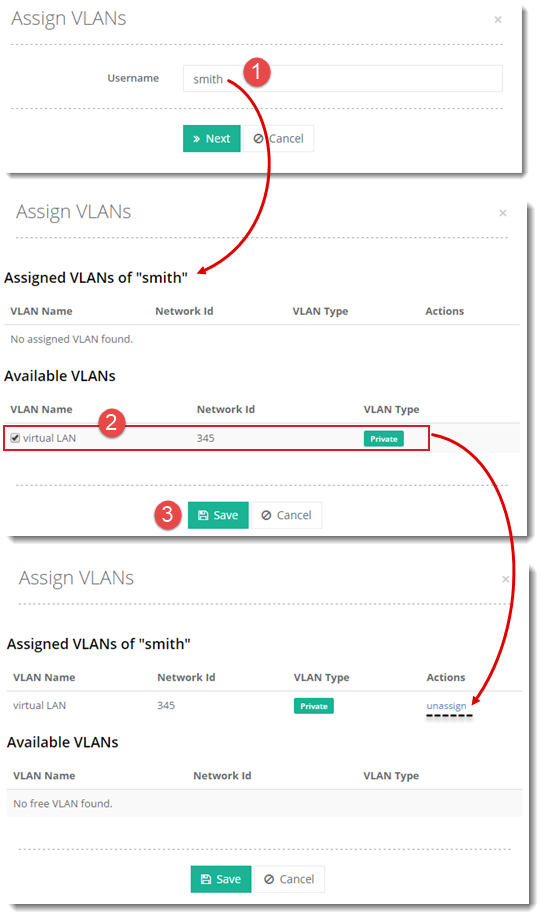
Once you click Save, the available virtual LAN that is now assigned to the selected user, is visible in the first section as shown. To unassign any assigned VLAN, click Unassign under Actions column.