
| Product Documentation
Hybrid Control Panel (v10)
Creating a mail domain
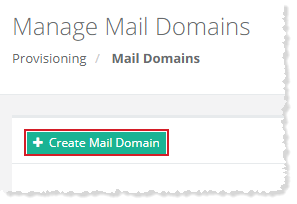
To create a mail domain, click + Create Mail Domain and specify required information to proceed.
You can either create mail domain for yourself or for a specified user
Myself
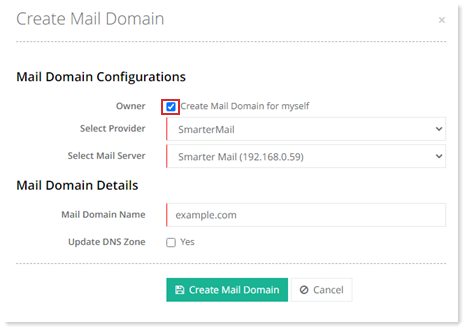
To create mail domain for myself, select the checkbox Create Mail Domain for myself and specify required information and click Create Mail Domain.
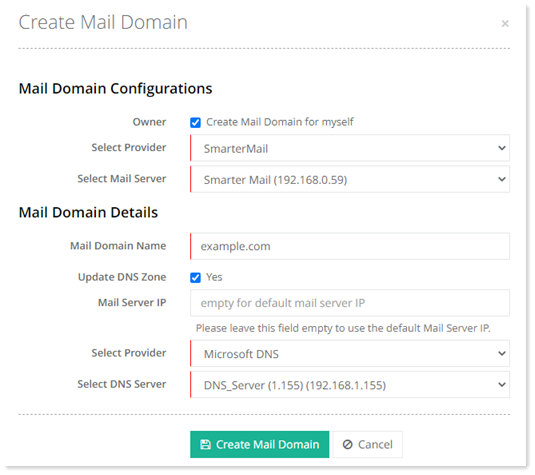
- Mail Server IP: Users can specify their own IP for the DNS MX record, while creating a mail domain. If the filed is left empty, HC will use the default mail server IP.
Specified User
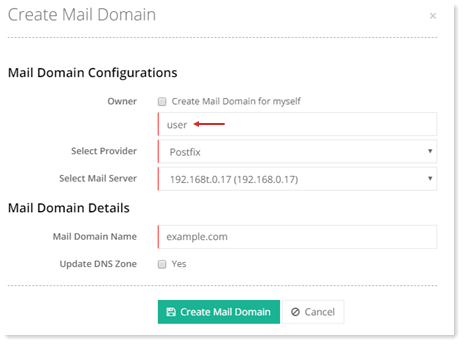
To create mail domain for selected user, specify name of the required user as:
- Update DNS Zone: If this option is checked while creating a mail domain, HC will automatically create a corresponding DNS record in DNS server. For this option to work a DNS server should be configured prior to adding the mail domain.