
| Product Documentation
Hybrid Control Panel (v10)
Client Tickets
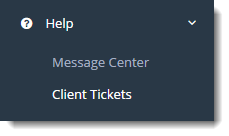
Client Tickets section allows Global Admin to manage clients' tickets in an efficient manner.
Managing Client Ticket
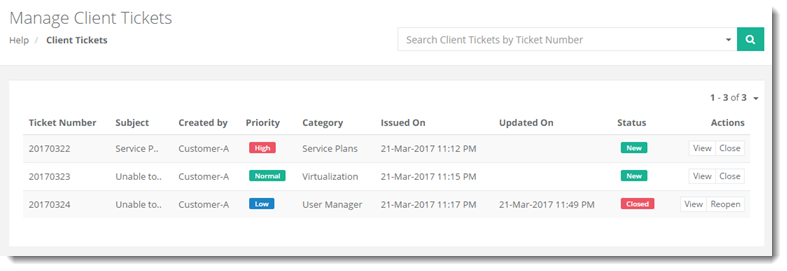
To manage clients tickets go to Help >> Client Tickets.
|
Manage Client Tickets page shows list of existing tickets with additional information as:
|
Manage Client Tickets section allow admins to perform various tasks. For details refer to the following sections:
Viewing a Ticket Information
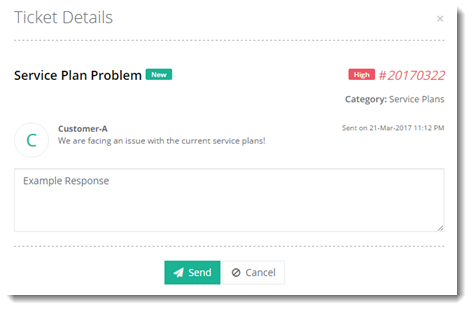
To view ticket information in detail, click View under Actions column.
Closing/Reopening a Ticket
To close a ticket, click Close under Actions column.
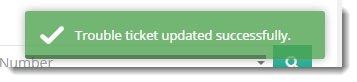
To reopen a ticket, click Reopen under Actions column.