
| Product Documentation
Hybrid Control Panel (v10)
Viewing Organization Defaults
Sometimes new users in an Exchange organization are required to be created with some defaults. All users in that organization will be created with these default values. Similarly, new public folders are required to be created under a default public folder mailbox. HC caters to profile defaults with its profile default feature. You may specify default values for any particular organization and all new users will be created with these defaults.
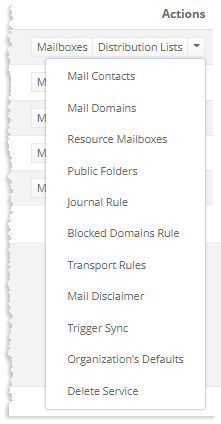
To view the default settings of profiles, click Organization's Default under the Actions column.
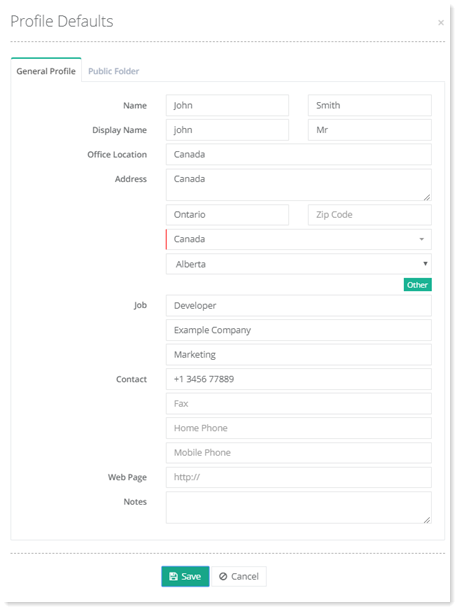
General Profile
All new users in an organization can be created with some defaults. You can specify default values for the general profile and all new users in the organization will be created with these defaults.
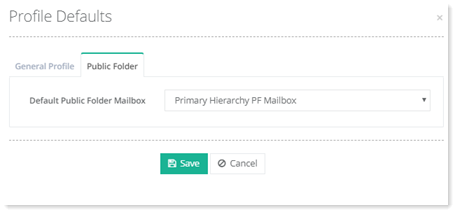
Public Folder
All new public folders for an organization can be created under a default public folder mailbox.
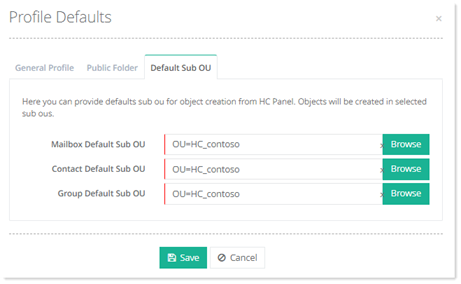
Default Sub OU
Exchange organizations may want to specify certain sub OUs for object creation so that the objects are created by default, under those specific sub OUs. HC allows you to designate specific sub OUs for object creation. Mailboxes, contacts, and groups can then be created under their own specific sub OUs.
Regional Config
Certain Exchange organizations may want to specify a default language and time for their mailboxes. These organizations can specify default regional settings for their mailboxes through Hosting Controller.
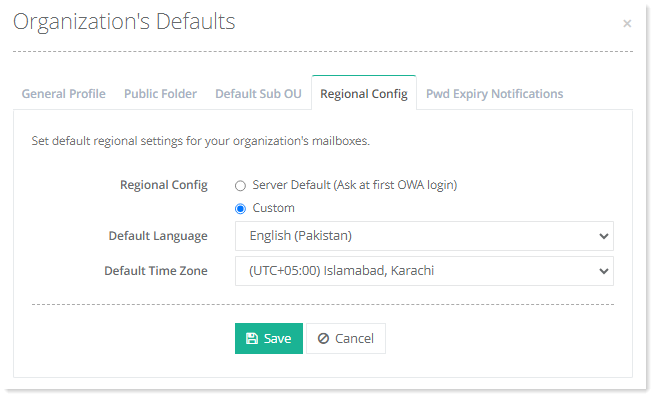
- Server Default: This option allows the organization to retain the server’s default language and time zone for its mailboxes. These defaults are asked when users log into OWA for the first time.
- Custom: This option allows the organization to specify its own defaults. It can specify its own default language and time zone.
Password Expiry Notification
Organizations may want to send notifications to the mailboxes whose passwords are expiring. Hosting Controller allows organizations to send password expiry notifications to their mailboxes. If this option is enabled, all OWA-enabled mailboxes of the organization will receive password expiry notifications, a fixed number of days before expiry.
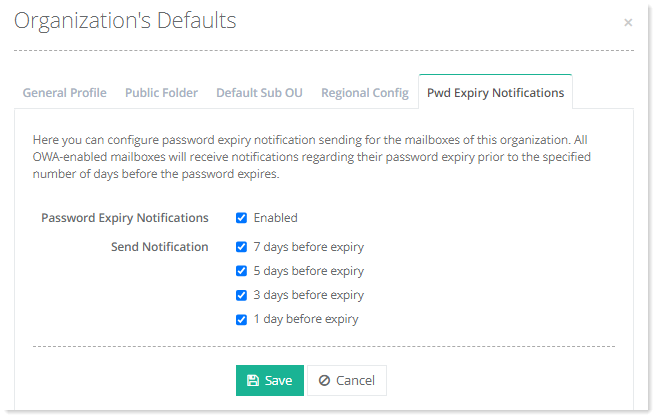
- Password Expiry Notifications: Check the Enabled check box to send notifications.
- Send Notification: Specify the number of days before which the notifications should be sent.