
| Product Documentation
Hybrid Control Panel (v10)
Restoring a database
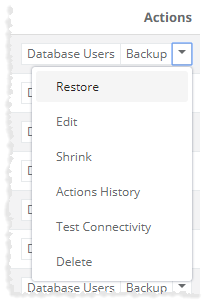
To restore a database, click Restore under Actions column. Restore either directly from your machine or from some server as required.
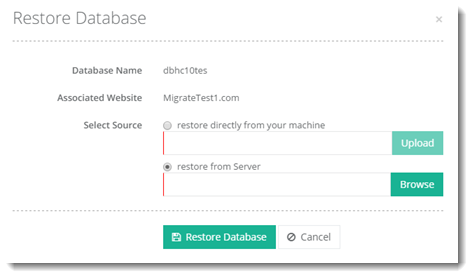
- Select Source: You can either select to restore directly from your machine or server.
- Restore directly from your machine: In case of Microsoft SQL Server restores .bak file directly from the local machine (from where the panel is being browsed).
- Restore from Server: restores from the db folder inside website directory.