To manage remote desktop organizations go to Provisioning >> Remote Desktop Services.
|
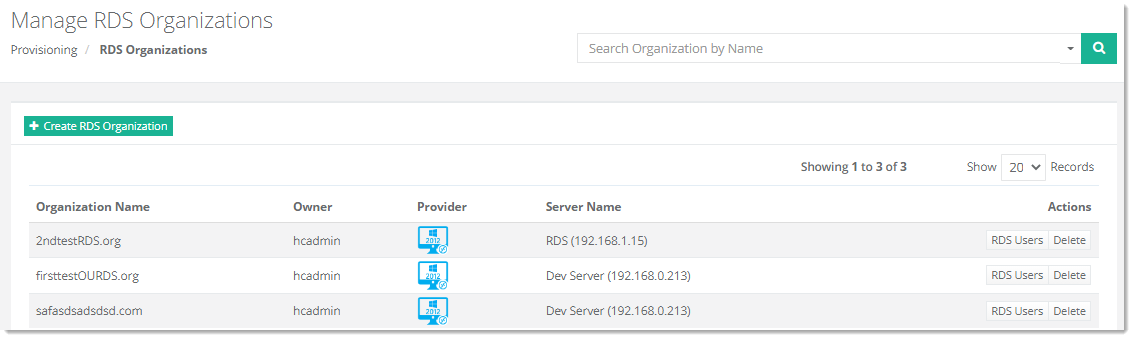
Manage RDS Organizations page shows all the available remote desktop organizations and additional information as:
- Organization Name - shows name of the organization on which RDS services are enabled.
- Owner – shows owner of the organization.
- Provider - shows name of the provider. Provider is RDS.
- Server Name- shows the friendly name of the server. It’s the server where RDS services are installed.
- Actions - allow admins to perform various actions such as adding RDS users.
|
