
| Product Documentation
Hybrid Control Panel (v10)
HC10 Installers Explained
HC10 presents a true hybrid model. It caters to the needs of providers desirous of offering a mix of both Cloud and on-premises services. To deliver on this promise, it integrates with various services such as Web, Mail, DNS, Database, Exchange, SharePoint etc. These services have been classified into three categories:
- Cloud Services
- On-premises
- On-premises Windows
HC10 connects with all these products using their APIs. Each of these APIs have their own limitations and restrictions and therefore present multifarious challenges in connecting. The API limitations may manifest themselves in the form of security or other concerns. As a consequence some of the products can be managed while still on remote machines whereas for others it’s necessary to have an HC Agent on the machine to receive requests from HC Control Server and then forward to the product.
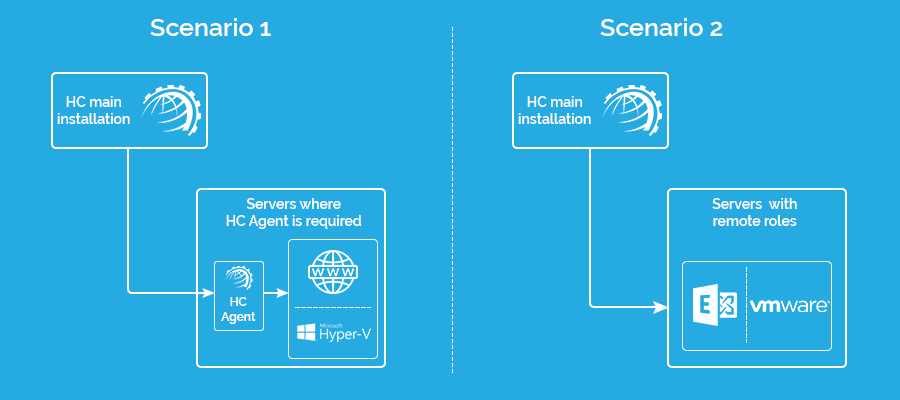
HC10 Architectural Components
Because HC10 handles such diverse scenarios, its core architecture has purposely been designed to handle all possibilities. Its architecture consists of the following three components:
1) Portal
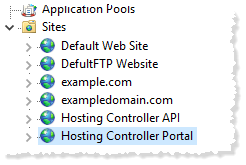
Portal refers to a site in IIS and serves as a place for the users to login into their respective management interfaces and administer their accounts. The Portal provides exclusive interfaces to Global Admin, Resellers, Sub-Resellers and Clients. Installation of HC creates a site for the Portal in IIS and names it Hosting Controller Portal. Portal consumes API.
2) API
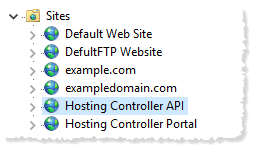
The API component represents a collection of RESTful API. This component is the main brain of HC10, responsible for controlling all the system and database level operations. The entire HC10 business logic and workflows are implemented in this component.
3) HC Provisioning Services
HC Provisioning Services are responsible for all types of provisioning operations and system level tasks. Provisioning could be of resources such as system users, websites, mailboxes, virtual machines etc. As this Agent does the actual provisioning, it is the component available both with the Primary and Agent installations.
Types of Installers
Primary
The Primary installer is the main HC10 installer and consists of all the three components discussed above. Primary installer can be downloaded here.
Agent
Where there is already a machine in the cluster with a Primary installation, already containing the Portal and API, there is usually less need for the full Primary installer again on subsequent servers. To handle this HC10 offers a lighter version of the installer. This Agent only installs the Provisioning Services and as such is much smaller in size than the Primary. Agent can be downloaded here.
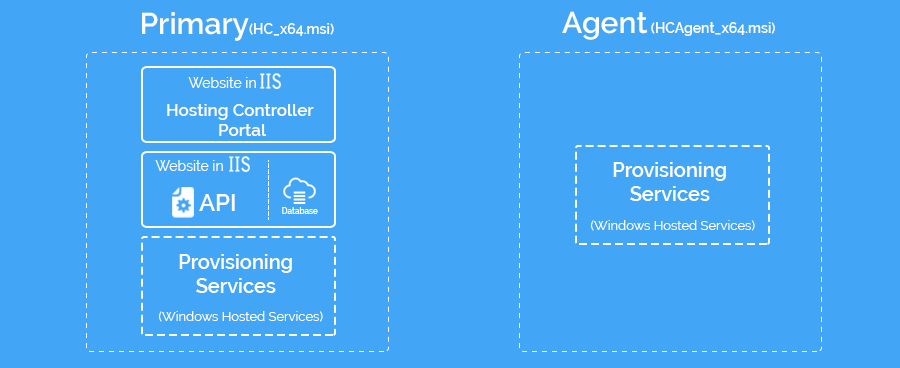
HC Installation Files
On successful installation HC creates an installation folder by the name of “Hosting Controller”. Under this principal folder it creates the following folders:
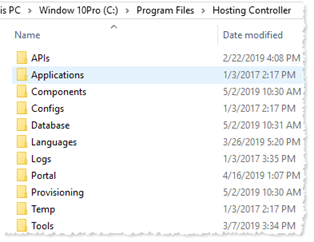
- APIs: Contains all the files related to HC Restful APIs. There is also a website in IIS which is mapped to this folder.
- Applications: Contains some third-party applications that HC uses and ships with the installation.
- Components: This folder contains HC related binaries.
- Configs: Contains a single file which stores HC Database connectivity, and API URL information which is used by the portal. There is also a utility config.exe at the root installation folder which can be used to edit this file.
- Database: HC uses this folder to store backups of HC before each upgrade. This folder also contains database scripts which are applied to HC database on new installation and upgrade and deleted once run/applied.
- Languages: Contains files which contain display text/captions and error messages for different languages.
- Logs: Contains all the system level and installation logs that HC creates.
- Portal: This is the home directory of "Hosting Controller Web Portal" Website in IIS.
- Provisioning: Contains all the core files of HC. Files which interact directly with Exchange or Webservers. This folder also contains Windows Services which are installed during HC installation.
- Temp: This folder is used by HC for miscellaneous purposes.
- Tools: Contains some additional add-on applications by HC, like Market Place and Click and Install Apps. These apps are downloaded here for HC Server the first time and whenever there is an update available. It also contains some additional helping applications.