
| Product Documentation
Hybrid Control Panel (v10)
Failover Cluster Management
A Hyper-V failover cluster is a group of Hyper-V hosts (called nodes) that work together in such a way that if one or more of the clustered nodes fail, the clustered resources are seamlessly failed over to the next available nodes. This allows for a virtual infrastructure which is resilient to server failures. These nodes share one or more common networks and at least one shared storage location. To the end user, there is generally no impact on services running on the server and thus failover clustering guarantees constant up-time in case of failure. HC takes advantage of Hyper-V failover clustering to extend resilience to virtual infrastructures.
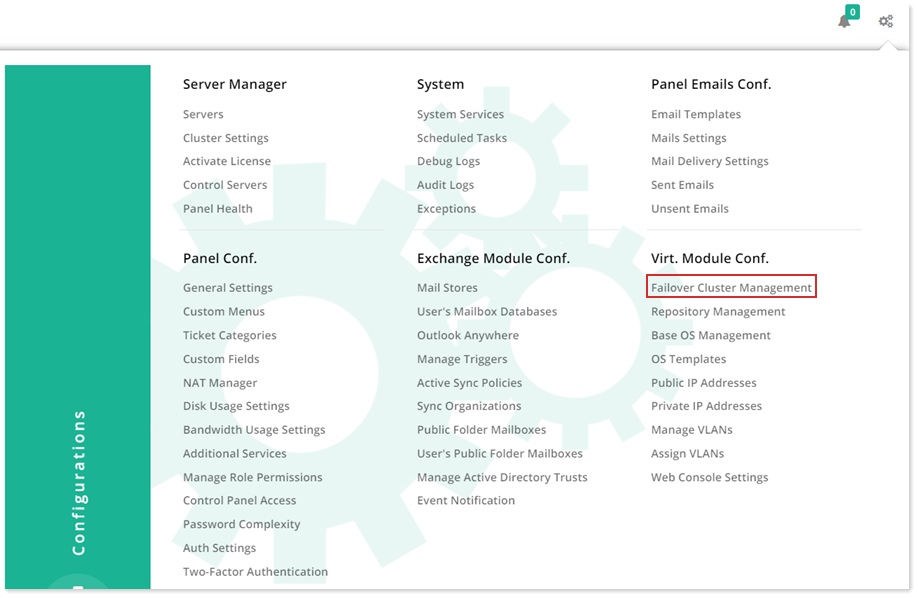
To manage failover cluster, from top right corner of your screen, click  and then go to Virtual Module Configuration >> Failover Cluster Management.
|
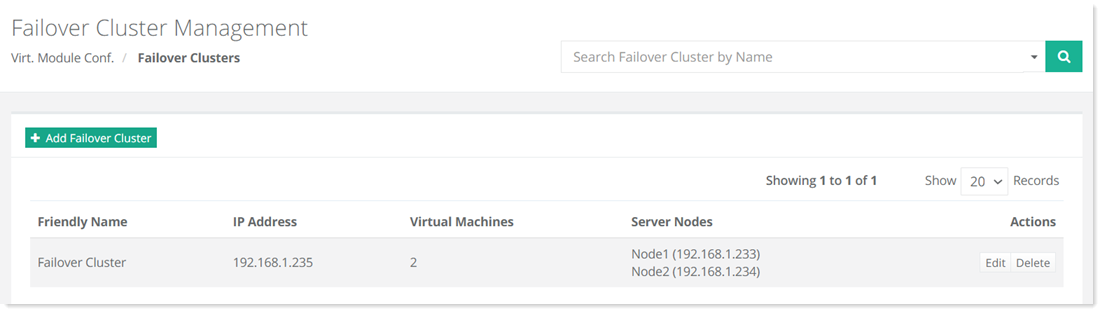
Failover Cluster Management page shows all the available clusters and additional information as:
|
Add Failover Cluster
To add a failover cluster server, click + Add Failover Cluster and specify information as required.
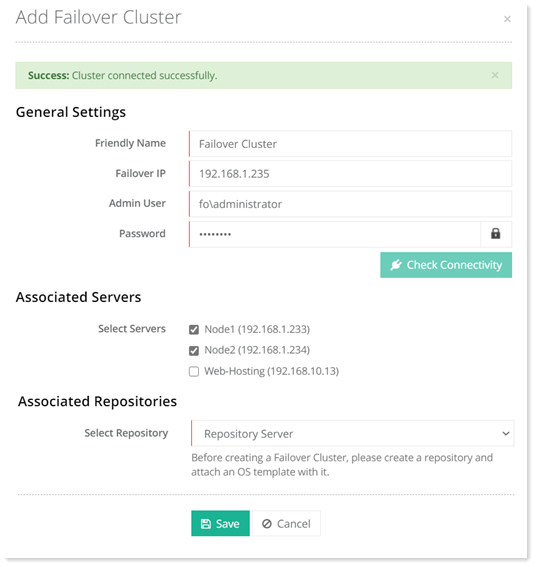
- Associated Servers: While creating a failover cluster, you can choose all the Hyper-V hosts that will be part of the cluster. These will be the associated failover nodes. A typical Hyper-V failover cluster setup consists of 2 or more nodes. If one or more of the clustered nodes fail or suffer performance issues, the workloads (virtual machines, services, processes, etc) will be shifted to an available node, so that the virtual machines can resume their normal operations again.
- Associated Repositories: A repository is a central storage location where .vhdx files as stored. The clustered nodes fetch OS templates (.vhdx files) from this central location. The central storage can be on an entirely separate server or on any of the servers in the environment, but the cluster storage volume path (e.g. C:\Cluster Storage\Volume\..) should be visible to all nodes in the cluster. The repository has a virtual IP (192.168.1.235 in this case) that enables the active node to fetch from the central location. Therefore no matter which node is active, it will always fetch from the same central location. Central storage can be any of the storage methods such as iSCSI, fiber etc.