| Product Documentation
Hybrid Control Panel (v10)
Importing organizations
Exchange, SharePoint, Skype for Business and Active Directory organizations can be imported into HC.
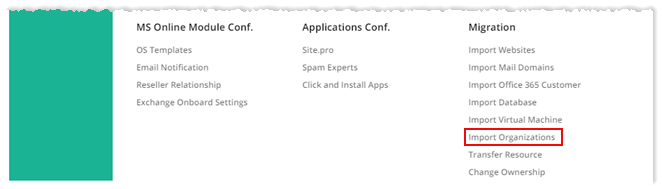
To import an organization, from top right corner of your screen, click  and then go to Migration >> Import Organizations.
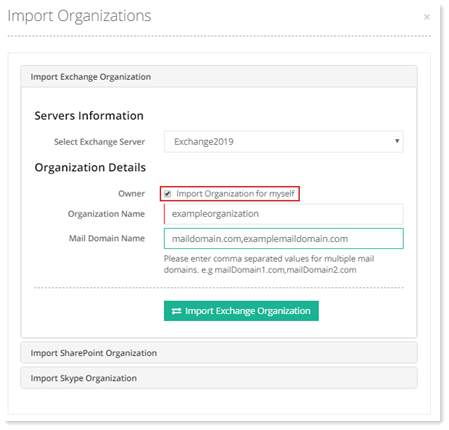
Import Exchange Organization
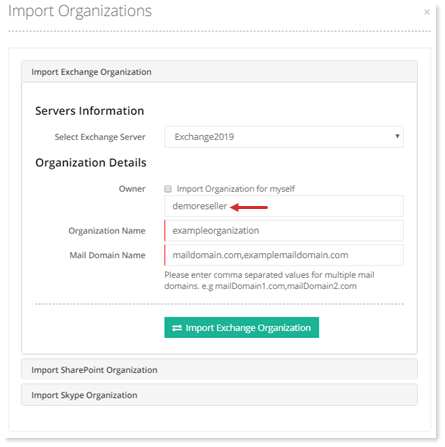
Exchange organizations can be imported either for yourself or selected user. To import Exchange organization for yourself, select Import Organization for myself checkbox and specify other required information. In case of selected user, keep the checkbox deselected and type name of the user with other details. Finally, click Import Exchange Organization to proceed or Cancel otherwise.
For Myself
|
For Selected User
|
|
|
Import SharePoint Organization
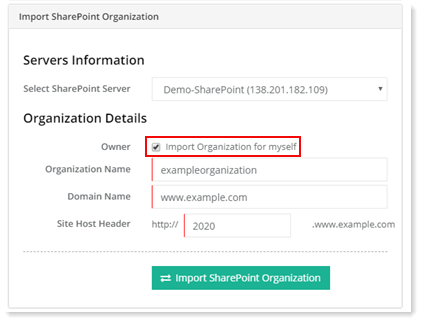
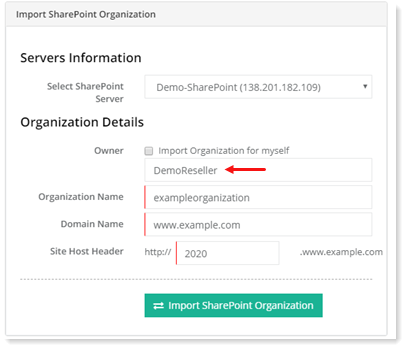
SharePoint organizations can be imported either for yourself or selected user. To import SharePoint organization for yourself, select Import Organization for myself checkbox and specify other required information. In case of selected user, keep the checkbox deselected and type name of the user with other details. Finally, click Import SharePoint Organization to proceed or Cancel otherwise.
For Myself
|
For Selected User
|
|
|
Import Skype Organization
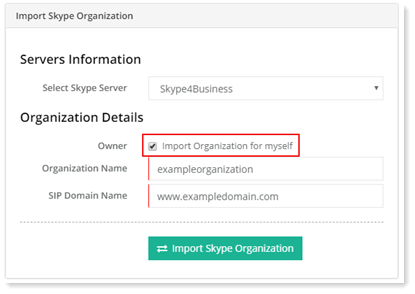
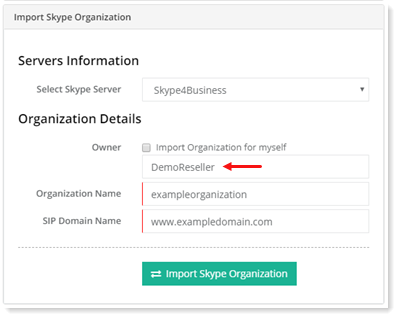
Skype organizations can be imported either for yourself or selected user. To import Skype organization for yourself, select Import Organization for myself checkbox and specify other required information. In case of selected user, keep the checkbox deselected and type name of the user with other details. Finally, click Import Skype Organization to proceed or Cancel otherwise.
For Myself
|
For Selected User
|
|
|
Import Active Directory Organization
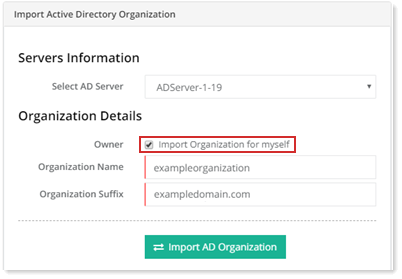
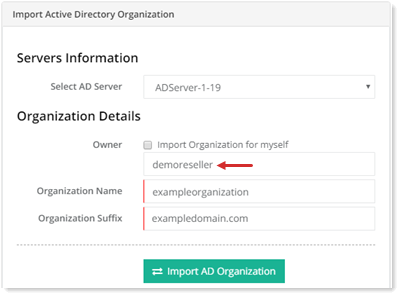
Active Directory organizations can be imported either for yourself or selected user. To import AD organization for yourself, select Import Organization for myself checkbox and specify other required information. In case of selected user, keep the checkbox deselected and type name of the user with other details. Finally, click Import AD Organization to proceed or Cancel otherwise.
For Myself
|
For Selected User
|
|
|