| Product Documentation
Hybrid Control Panel (v10)
Moving website
Websites can be moved between webservers. A website can be moved from one Windows webserver to another or it can be moved from a Windows webserver to a Linux. Websites can also be moved between Linux webservers or from a Linux webserver to a Windows.
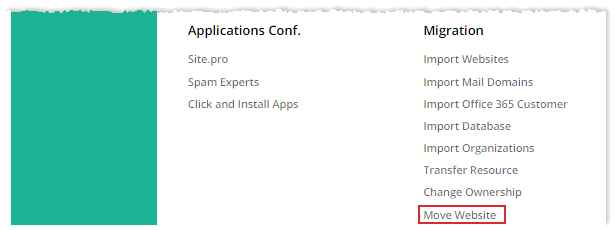
To move website, from top right corner of your screen, click  and then go to Migration >> Move Website.
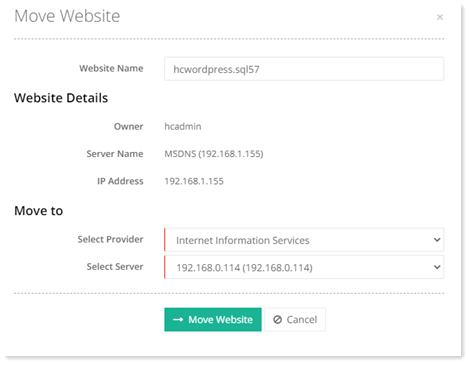
- Website Name: Type name of the website to be moved.
- Website Details: These are the details of the website to be moved.
- Move To:
- Select Provider: Select provider from the list box. A website can be moved from Windows to Windows, Windows to Linux, Linux to Windows and Linux to Linux.
- Select Server: Select server from the list box. This is the webserver to which the website will be moved.
Before moving a website a mail requesting confirmation, will be sent to the owner of the website. After the owner clicks the confirmation link, the move operation will be queued and will complete within the next 24 hours. HC makes available a template for the email in its templates repository and the template can be modified here. A notification and a task completion email (Scheduled Task Report) is also generated after the operation completes.