| Product Documentation
Hybrid Control Panel (v10)
Auto Update
Hosting Controller allows you to auto-update its service packs (builds). HC Auto Update Service is required to be installed on all Windows servers in the cluster for customers to use the auto-update feature. The service is responsible for downloading the latest installer (build) and installing it on the node it is running on. A separate installer is available for this service. The installer can be downloaded here.
Once the service is installed, the auto-update feature can be enabled or disabled from within the panel. If enabled, a new task will be created in the Task Scheduler. This new task can also be managed from the Managing Control Server section.
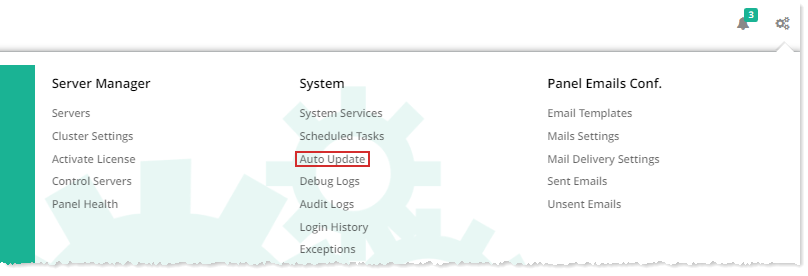
To enable the automatic update feature in HC panel, from top right corner of your screen, click  and then go to System >> Auto Update.
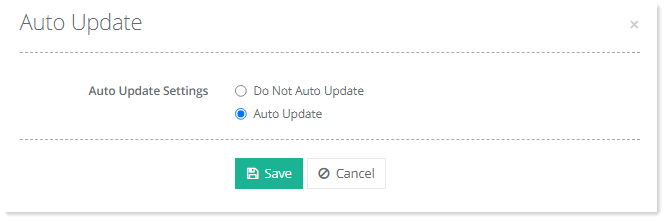
Select Auto Update to enable automatic update for the panel and click Save to proceed.