| Product Documentation
Hybrid Control Panel (v10)
Managing vCenter
VMware vCenter Server allows you to centrally manage your virtual infrastructure. With vCenter Server you can control your hosts and VMs from a single console and greatly enhance visibility, manageability and operations across on-premises environment and a vSphere based public cloud. The responsive HTML 5-based vSphere client provides you with an access to the key functions of vSphere from any browser. HC allows you to add a vCenter Server to its interface and manage the movement of virtual machines from one ESXi host to another.
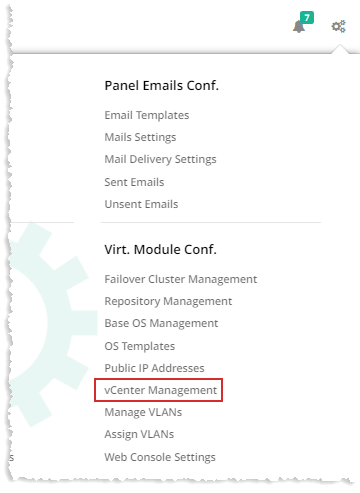
To manage vCenter, from top right corner of your screen, click  and then go to Virtual Module Configuration >> vCenter Management.
|
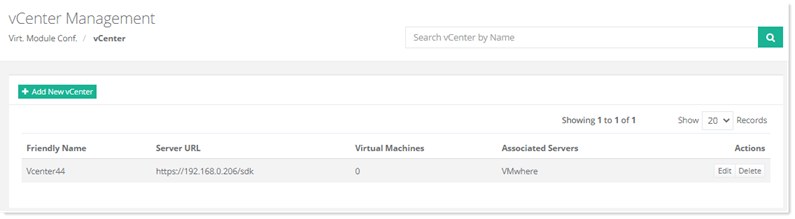
vCenter Management page shows list of existing vCenters with additional information as:
|
Adding a New vCenter
To add a new vCenter, click +Add New vCenter and specify required information:
Editing a vCenter
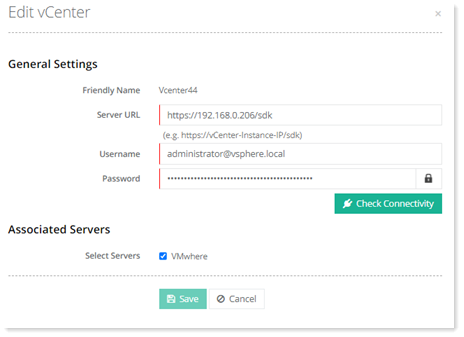
To modify a vCenter, click Edit under Actions column.
Deleting a vCenter
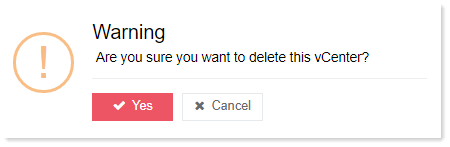
To delete a vCenter, click Delete under Actions column.