
| Product Documentation
Hybrid Control Panel (v10)
Defining Password Reset Policy
Sometimes for security reasons, it becomes absolutely necessary to frequently change user passwords. Hosting Controller allows you to define a password reset policy. Panel users can be forced to reset their passwords after a specified number of days. Similarly, a warning can be prompted a specified number of days before the expiry of the password.
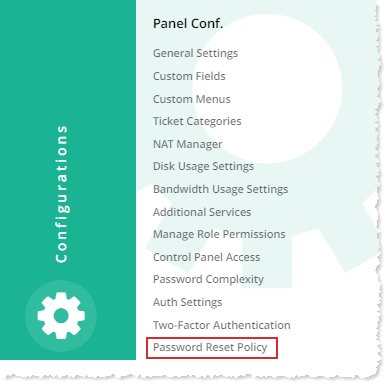
To define the password reset policy, from the top right corner of your screen, click  and then go to Panel Configuration >> Password Reset Policy.
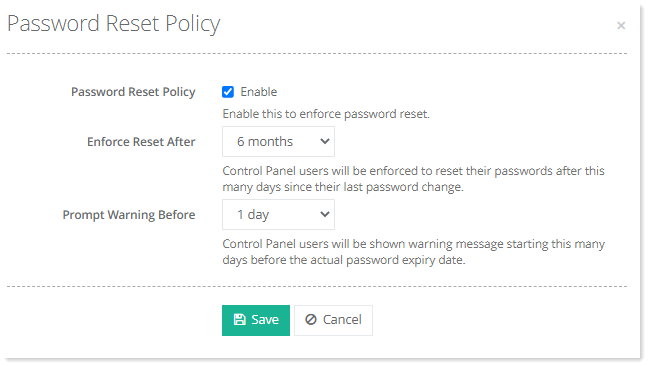
- Password Reset Policy: Select Enable to set password enforcement policy.
- Enforce Reset After: Select time period to enforce a reset after the specified period of time.
- Prompt Warning Before: Select number of days, to receive warning messsage before the specified number of days.