| Product Documentation
Hybrid Control Panel (v10)
Debugging Logs
Debug Logs are generated against system level calls in the form of success or failure logs. These logs help in tracking issues caused by Operating System or application software. The Debug Logs are created as text files at path X:\Program Files\Hosting Controller\Logs on all servers where the installation of an HC10 agent is present. Respective servers can be selected to view their logs.
The logs for remote machines, where an agent is not required such as Exchange servers, can be viewed by selecting the Primary server.
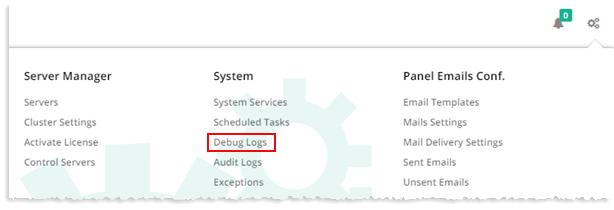
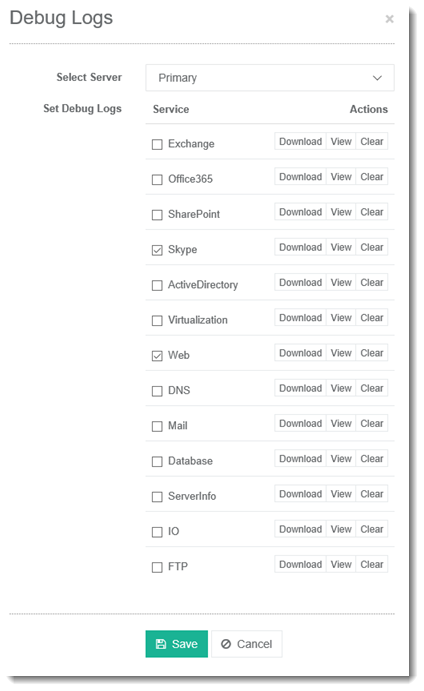
To debug logs, from top right corner of your screen click  and then go to System >> Debug Logs. Select server from the drop-down list box. Under Service column select service(s) and Actions column select task to perform.
Services for the selected server can be downloaded, viewed or cleared as required.