| Product Documentation
Hybrid Control Panel (v10)
Adding a SharePoint site
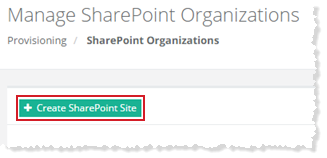
To add a SharePoint site, click + Create SharePoint Site at top left. Specify required information to proceed.
Whenever a SharePoint site is created from Hosting Controller it creates a site collection. You can either create SharePoint site for yourself or for a specified user. Also, a SharePoint can be for a new organization or any existing organization.
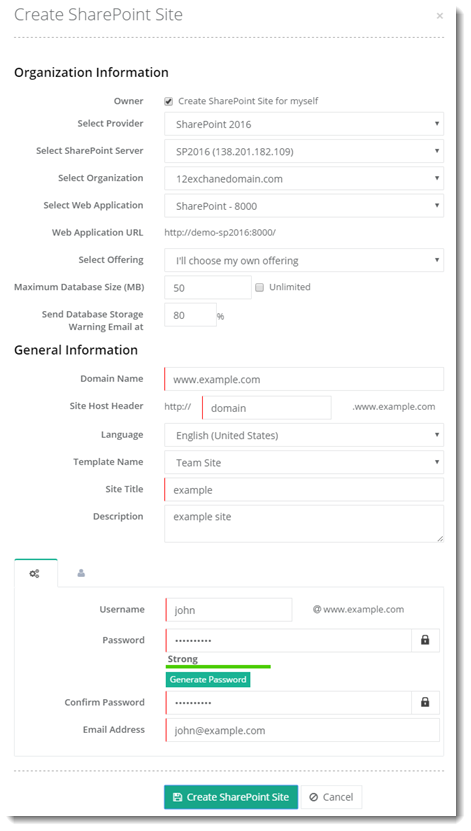
- Select Web Application: HC allows SSL enabled SharePoint sites. If you select a secure Web Application here, HC will let you create an SSL enabled (https) SharePoint site. To learn more about creating SSL enabled SharePoint sites, see How to add an SSL enabled SharePoint site.
- Web Application URL: If you have selected a secure Web Application earlier, HC will display the appropriate SSL enabled (https) Web Application URL here.
Myself
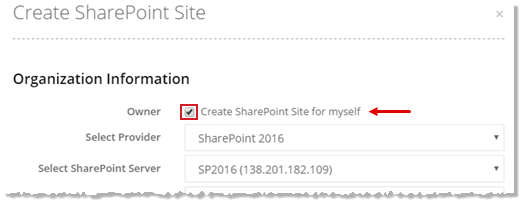
To create a SharePoint site for myself, select Create SharePoint Site for myself checkbox to proceed.
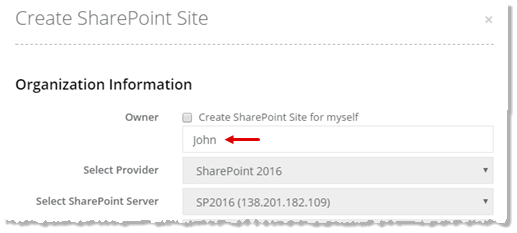
Specified User
To create a SharePoint site for specified user, type user name to proceed.
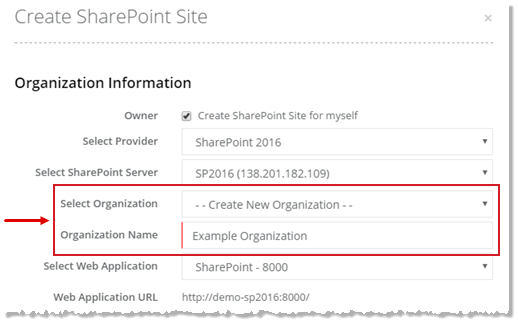
New Organization
To create a SharePoint site for a new organization, type Organization Name to proceed.
Existing Organization
To create a SharePoint site for an existing organization, select required organization from the list to proceed.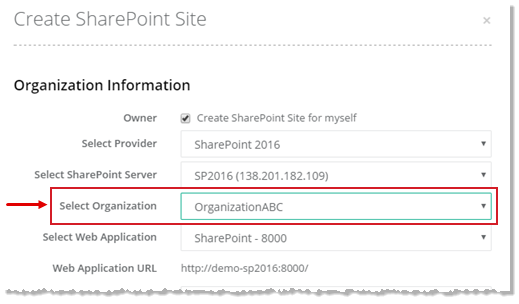
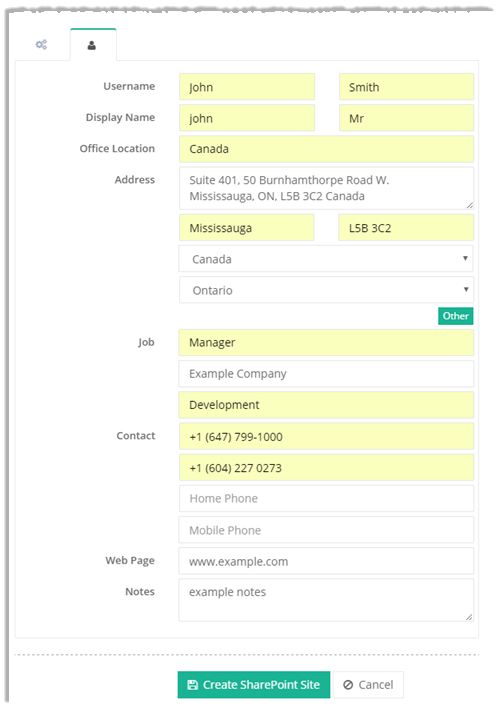
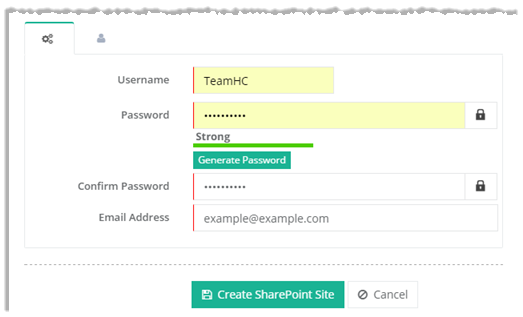
To create a SharePoint site you need to specify some other information as well such as User Settings and General Profile.
User Settings
Click  to specify user settings as required.
General Profile
Click  to specify user information.