| Product Documentation
Hybrid Control Panel (v10)
Configuring Auth Settings
Besides the default user authentication mechanism (internal authentication) Hosting Controller allows Active Directory user and group, authentication modes. In the Active Directory user and group authentication modes, users and members of groups can login as the various provisioning tiers of the control panel (Global Admins, Resellers, Clients) and perform related activities at their respective levels. Users and members of groups can login to the panel with their AD credentials as Global Admins, Resellers, Clients. The three authentication mechanisms are:
- External AD-User Authentication
- External AD-Group Authentication
- Internal HC Authentication
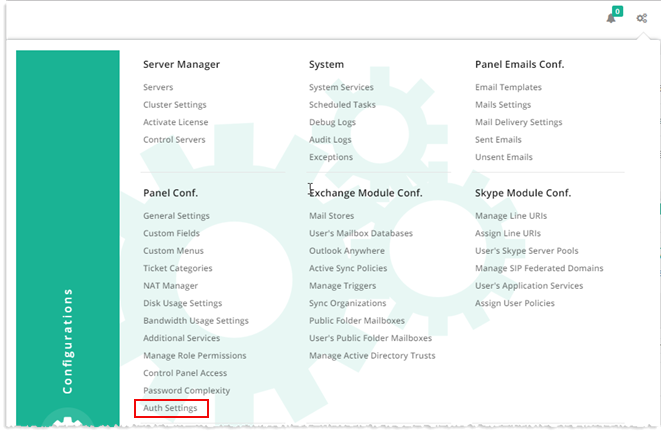
To configure Auth Settings, from top right corner of your screen, click  and then go to Panel Configuration >> Auth Settings. Specify settings as required and click Save.
External AD-User Authentication
If External AD-User Authentication is enabled, Active Directory users can login as panel users (Global Admin, Resellers, Clients) with their AD credentials.
To enable it, select External AD-User Authentication.
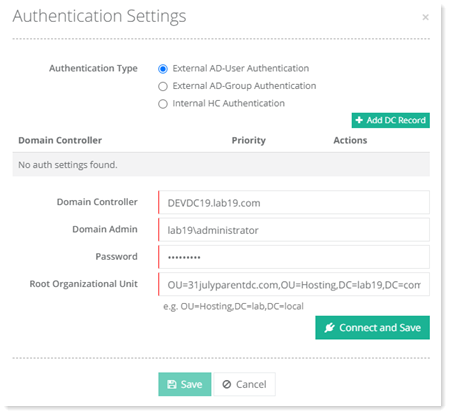
- Add DC Record: As users are authenticated through the Active Directory here, a valid Domain Controller needs to be specified. If there are more than one Domain Controllers in the domain, you can specify all the Domain Controllers here for Active Directory load balancing and resilience. If one Domain Controller goes down, users can authenticate through the other. The Domain Controller listed on the top has the highest priority while subsequent Domain Controllers have low priorities.
- Domain Controller: It is the FQDN of the Domain Controller.
- Domain Admin: Type domain\administrator account for the domain.
- Password: Password for the domain\admin.
If password of the domain admin is changed directly in Active Directory, HC will not recognize the password and will fail to connect. To overcome this potential problem, HC makes available a password change utility. The ‘ADAuthHelper.exe’ utility helps change the domain admin password in HC, thus enabling the domain controller to connect after a password change. To learn more about ‘ADAuthHelper.exe’, see How to change Active Directory password while using AD authentication. - Root Organizational Unit: The root OU under which the AD user will lie.
External AD-Group Authentication
If External AD-Group Authentication is enabled, members of security groups can login as panel users (Global Admin, Resellers, Clients) with their AD credentials. Members of the Global Admin group can login with their AD credentials as Global Admins. Members of the Reseller group can login with their AD credentials as Resellers and members of the Clients group can login as Clients. To understand how group authentication works, see Understanding group authentication.
To enable it, select External AD-Group Authentication.
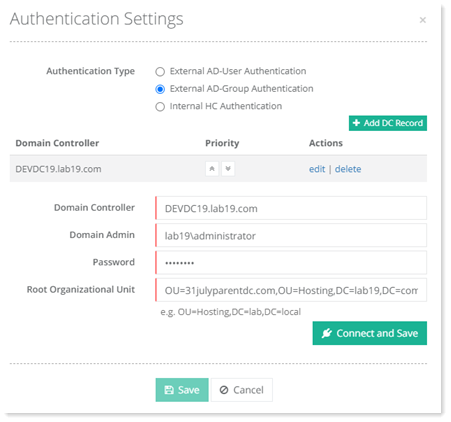
- Add DC Record: As users are authenticated through the Active Directory here, a valid Domain Controller needs to be specified. If there are more than one Domain Controllers in the domain, you can specify all the Domain Controllers here for Active Directory load balancing and resilience. If one Domain Controller goes down, users can authenticate through the other. The Domain Controller listed on the top has the highest priority while subsequent Domain Controllers have low priorities.
- Domain Controller: It is the FQDN of the Domain Controller.
- Domain Admin: Type domain\administrator account for the domain.
- Password: Password for the domain\admin.
If password of the domain admin is changed directly in Active Directory, HC will not recognize the password and will fail to connect. To overcome this potential problem, HC makes available a password change utility. The ‘ADAuthHelper.exe’ utility helps change the domain admin password in HC, thus enabling the domain controller to connect after a password change. To learn more about ‘ADAuthHelper.exe’, see How to change Active Directory password while using AD authentication. - Root Organizational Unit: The root OU under which the AD user will lie.
Internal HC Authentication
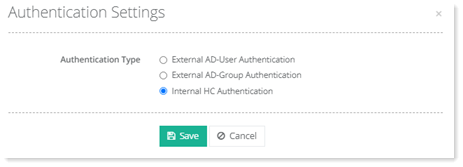
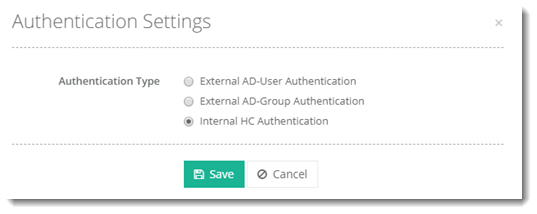
This is the default mechanism for HC authentication. If internal authentication is enabled all users (Global Admin, Resellers, Clients) are created in HC back-end database, which exists in SQL Server. When these users login into HC panel their authentication is carried out through HC database.
To enable it, select Internal HC Authentication.