| Product Documentation
Hybrid Control Panel (v10)
Creating a website
Manage Websites section allow admins to perform various tasks. This page shows creating a website in detail. HC allows creation of a website in both IIS and Apache Web Servers. In case of Windows, website is created in IIS and for Linux it is created in Apache.
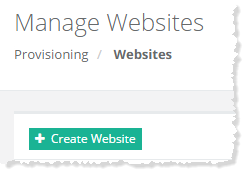
To create a website, click + Create Website at top left. Specify required information to proceed.
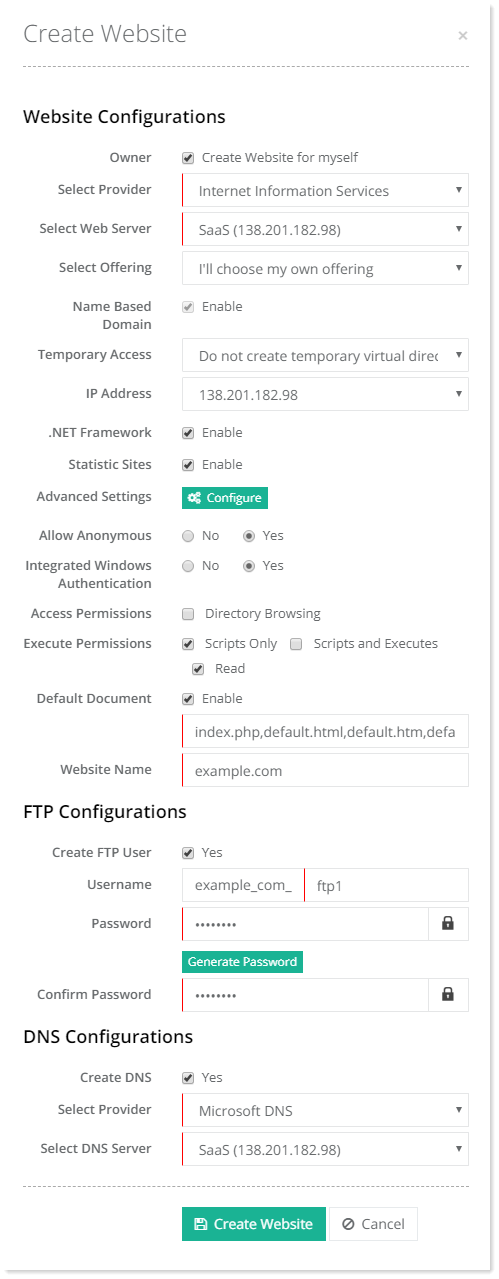
- Name Based Domain: They are domains sharing the same IP.
- IP Based Domains: IP Based domains are websites having dedicated IP addresses. HC10 allows websites to be hosted against dedicated addresses. In order to have IP Based domains it’s necessary that IPs are available on the Network Interface Card (NIC) of your webserver.
If IP Based Domains are unchecked in Cluster Settings, HC will only allow Name Based Domains while creating new websites and will keep the Name Based Domains check box uneditable. - Temporary Access: As Name Based Domains only appear on web when DNS information has propagated, so for temporary use this web site is used to create virtual directory for the new domain. The customer can access his name based domain using this temporary address until his name based domain has propagated over the internet. e.g. if you have a new name based domain signup 'mycompany.com' and you have selected the ‘temporary.com' as temporary access for this new name based domain, the new customer may immediately view his website at http://temporary.com/mycompany-com.
- IP Address: IP of the website.
- Default Document: It is the file that is served by the web server when no file name is specified by the user in web URL. IIS defines default.htm, default.asp, index.htm, index.html, iisstart.htm as default documents. When the web server, for example receives a request for http://domain.com, the web server returns to the browser, the first file it finds from the list of default documents. If default.htm exists, the webs server sends it to the client browser. If default.htm does not exist, it attempts to send default.asp to the browser, and if default.asp does not exist, it attempts to send the index.htm to the browser. The web server continues thus until it attempts to send each default document file to the client browser.
- FTP Users: HC allows the creation of an FTP user with website creation and additional FTP users any time later. The full user name is formed by prefixing a character string to the user input. The character string is in the format “domain_com_” and this prefixed to user input, for instance “ftpuser” forms the full FTP user name “domain_com_ ftpuser”. The user input for the FTP username cannot exceed seven characters.
The first FTP user created with the website lands on the root of the domain.com folder. However additional users can land on any of the folders beneath i.e. www, special, log or db.You can either create website for yourself or for a specified user.
Myself
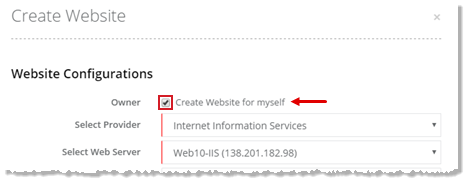
To create a website for myself, click Create Website for Myself checkbox to proceed.
Specified User
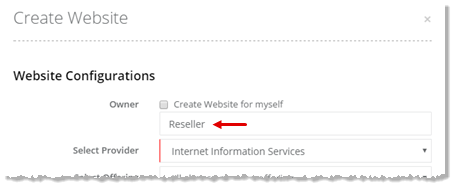
To create a website for specified user, type user name to proceed.